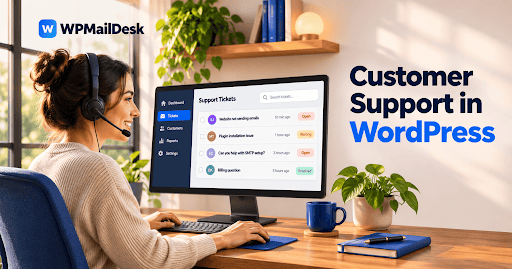
Email communication is an important part of customer support. Customers want to know when their requests have been received, when an agent responds, and when an issue is resolved. Without timely updates, they may repeatedly contact a business to check the progress of their requests. A WordPress Support Ticket Plugin can make this process easier by sending automatic email alerts whenever important ticket activities occur.
These notifications help customers and support agents stay informed without constantly checking the website dashboard. They also make communication more organized and reduce unnecessary follow-ups.
How Do Email Alerts Work in a WordPress Support Ticket Plugin?
A WordPress Support Ticket Plugin can connect ticket activities with automatic email notifications. When a customer submits a new ticket, the system can send an acknowledgment email confirming that the request has been received.
Similarly, when a support agent replies, the customer can receive an email containing information about the update. Notifications can also be triggered when ticket statuses change, tickets are assigned to agents, or an issue is marked as resolved.
The exact notification options depend on the plugin’s features and configuration.
What Types of Email Alerts Can the Plugin Send?
Different support activities may require different notifications. A well-equipped plugin can provide several types of email alerts.
New Ticket Confirmation
When customers submit support requests, they can receive an automatic confirmation email. This message assures them that their tickets have been successfully created.
It can include useful information such as the ticket number, submission date, and a short summary of the request.
New Ticket Reply Notifications
Customers do not need to keep refreshing the support page to check for responses. When an agent replies to a ticket, an email alert can notify them that a new message is available.
This makes communication faster and helps customers respond to additional questions.
Ticket Status Updates
Email alerts can inform customers when their tickets move from pending to in progress or resolved. These updates provide visibility into the support process and help manage expectations.
Agent Assignment Alerts
Support agents can receive notifications when new tickets are assigned to them. This helps teams identify their responsibilities and respond to incoming requests more efficiently.
Ticket Closure Notifications
When a support request is completed, the system can send a closure notification. Customers can review the resolution and contact the support team again if they still need assistance.
Can Administrators Customize Email Notifications?
Yes, many WordPress Support Ticket Plugin solutions provide notification settings that administrators can customize.
Depending on the plugin, administrators may be able to edit email subjects, message content, sender details, and notification recipients.
For example, a business can create a friendly confirmation message that explains when customers should expect a response. It can also include the company’s name and support contact information.
Customizing these messages helps maintain consistent communication and gives customers a more professional experience.
How Does SMTP Improve Email Delivery?
Configuring email alerts is only one part of the process. Making sure those emails reach their intended recipients is equally important.
WordPress websites often use their hosting server’s default email functionality. However, this method may experience delivery problems because of server restrictions or email authentication issues.
SMTP (Simple Mail Transfer Protocol) provides a more reliable way to send website emails through an authorized email service.
Administrators can configure SMTP using a compatible WordPress plugin and verify that outgoing messages are working correctly.
Proper email authentication, including SPF, DKIM, and DMARC where supported, can also improve email trust and deliverability.
How Do Email Alerts Benefit Support Teams?
Automatic notifications offer several advantages for businesses managing customer requests.
Faster responses: Agents can receive alerts when new tickets arrive.
Better communication: Customers receive updates without repeatedly checking their accounts.
Fewer missed tickets: Notifications help teams stay aware of incoming requests.
Improved organization: Ticket updates are communicated consistently.
Reduced manual work: Automatic emails eliminate the need to send routine confirmations individually.
These benefits become especially valuable when a business handles multiple support requests every day.
What Should You Check When Setting Up Email Alerts?
Before enabling notifications, administrators should review a few important settings.
First, confirm that the correct sender email address is configured. Using a professional address associated with the website helps maintain trust.
Next, test different notification events, including new ticket submissions, agent replies, and status changes. This helps identify missing or incorrectly configured alerts.
It is also important to check spam folders and email delivery logs. If notifications are not arriving, review SMTP settings, authentication records, and the email provider’s sending limits.
Finally, avoid sending unnecessary notifications. Too many emails can overwhelm customers and make important updates easier to miss.
Conclusion
A WordPress Support Ticket Plugin can send email alerts to keep customers and support agents informed throughout the ticket management process. Notifications for new tickets, replies, assignments, status changes, and closures make customer communication more convenient and organized.
With proper customization and SMTP configuration, businesses can improve email delivery and reduce manual support tasks. Choosing a plugin with flexible notification settings helps create a smoother support experience while keeping everyone updated on important requests.
0
Rate this business
Have you heard of this business? Do you like it? How do you like it?
Check out if it is in the list of Top Rated Small Businesses