Starmaxx UK Ltd

Starmaxx Blades & Razors is a personal care brand by STARMAXX UK, launched in early 2023 across the GCC region. Rapidly expanding globally, it now caters to Asia, Africa, Europe, the USA, and the Middle East. An ISO 9001:2015 certified company, STARMAXX is renowned for its quality, innovative design, and exceptional features. Offering premium double-edge, single-edge, and salon razors, STARMAXX is a trusted name among barbers and professionals, with plans to introduce disposable razors soon.

Read more info

  Name:
Starmaxx UK Ltd
Phone:
+97156829727
Address:
71-75 Shelton Street. Covent Garden London, WC2H 9JQ. U.K.
Website:
https://starmaxxgroup.com/
E-mail ID:
info@starmaxxgroup.com
Facebook:
https://www.facebook.com/people/STARMAXX-BLADES-RAZORS/100095234244105/
Instagram:
https://www.instagram.com/starmaxxblades/
Linkedin:
https://www.linkedin.com/in/starmaxx-plus-4a24b427a/
Youtube:
https://youtube.com/@starmaxx-blades?si=qlP5IhmdVVKH2cZg
Tiktok:
https://www.tiktok.com/@starmaxx.blade.ra?_t=8dyWujHkXId&_r=1


Starmaxx UK Ltd

Starmaxx Blades & Razors is a personal care brand by STARMAXX UK, launched in early 2023 across the GCC region. Rapidly expanding globally, it now caters to Asia, Africa, Europe, the USA, and the Middle East. An ISO 9001:2015 certified company, STARMAXX is renowned for its quality, innovative design, and exceptional features. Offering premium double-edge, single-edge, and salon razors, STARMAXX is a trusted name among barbers and professionals, with plans to introduce disposable razors soon.

Also Read:-

  Name:
Starmaxx UK Ltd
Phone:
(+97156829727)
Address:
71-75 Shelton Street. Covent Garden London, WC2H 9JQ. U.K.
Website:
https://starmaxxgroup.com/
E-mail ID:
info@starmaxxgroup.com
Facebook:
https://www.facebook.com/people/STARMAXX-BLADES-RAZORS/100095234244105/
Instagram:
https://www.instagram.com/starmaxxblades/
Linkedin:
https://www.linkedin.com/in/starmaxx-plus-4a24b427a/
Youtube:
https://youtube.com/@starmaxx-blades?si=qlP5IhmdVVKH2cZg
Tiktok:
https://www.tiktok.com/@starmaxx.blade.ra?_t=8dyWujHkXId&_r=1


YMCA INTERNATIONAL CENTRE

Founded in London in 1844, YMCA is a global organization focused on individual and community development, with a presence in 120 countries and 64 million beneficiaries. Dr. John Geevarghese, a visionary businessman, established YMCA International Centre Ahmedabad to meet global standards. Recognized as the best club in Ahmedabad for membership, it offers top-tier facilities.
Address: 2G52+364, Sarkhej – Gandhinagar Hwy, Makarba, Ahmedabad
Contact: +91 70483 30000

0

Acrylic Gallery Display Products LLC

At Acrylic Gallery, we are a premier acrylic fabrication company in the UAE, specializing in creating high-quality architectural products using acrylic sheets. Our goal is to provide exceptional acrylic sheets and products to customers worldwide while building strong, long-lasting relationships with our clients through exceptional customer service.
Our focus is on creating top-quality Sign Holders, Brochure and Literature Holders, Poster Holders, Point-of-Purchase displays, and Custom Acrylic Displays. We understand the importance of visual appeal in today’s world, and we aim to enhance the image of your business by delivering the best products possible.
With over 15 years of experience in the acrylic industry, Acrylic Gallery has solidified its position as a leading player in the market. The company’s commitment to craftsmanship, innovation, and customer satisfaction has propelled it to excellence. Acrylic Gallery boasts an unparalleled level of expertise, with a team of skilled craftsmen and experienced designers who possess extensive knowledge in working with acrylic materials. With an impressive portfolio and positive testimonials from satisfied clients, Acrylic Gallery continues to excel in delivering exceptional acrylic solutions, cementing its reputation as a trusted provider in the industry.
What sets us apart from our competitors is our commitment to going above and beyond for our customers. We provide informative answers to all of your questions, assist you in selecting the right products for your specific needs, and simplify the ordering process to make it fast and easy. Most importantly, we guarantee your complete satisfaction with our products and services.
 

0

Oman Ocean Trdg LLC

Oman Ocean Trading L.L.C. has been a prominent leader in the building materials industry. Based in Dubai and ISO 9001:2008 certified, we specialize in high-quality fasteners, hardware, and industrial solutions. With over two decades of experience, we are known for our commitment to excellence, dependability, and continuous innovation.

Contact Information:-
Website: https://omanocean.com/
Name: Oman Ocean Trading L.L.C.
Phone: 97142298311
Address: Office No. – 103, Lilly Center, Baniyas Square P O Box: 172331, Dubai – U.A.E.
E-mail ID: sales@omanocean.com/ bhoomi@omanocean.com/ chandra@omanocean.com


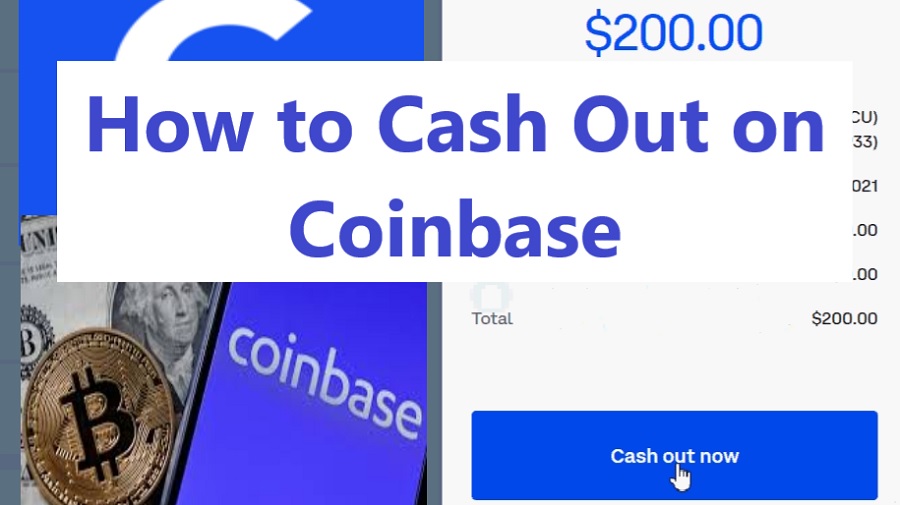
How to Withdraw Money from Coinbase Wallet to Bank Account?

Coinbase Wallet is a popular choice for storing cryptocurrencies, but many users wonder how to withdraw funds to their bank accounts. In this guide, we will walk you through the step-by-step process of transferring funds from your Coinbase Wallet to a bank account, including how to cash out USDC and withdrawal limits.


Can You Withdraw from a Coinbase Wallet to a Bank Account?

Yes, you can withdraw from Coinbase Wallet to your bank account, but it requires an extra step. Unlike Coinbase’s exchange, Coinbase Wallet is a self-custody wallet, meaning it does not directly support fiat withdrawals. Instead, you need to first transfer funds from Coinbase Wallet to your Coinbase account, then withdraw them to your linked bank account.


Why Can’t I Withdraw Money from Coinbase Wallet?

If you are experiencing issues withdrawing funds from Coinbase Wallet, consider the following reasons:

Funds Are in Coinbase Wallet, Not Coinbase Account – You need to transfer assets to your Coinbase account first.
Asset Is Not Supported for Withdrawal – Some cryptocurrencies must be converted to fiat or a supported token before withdrawal.
Pending Transactions – If transactions are pending, you must wait for confirmation on the blockchain.
Verification Issues – Ensure your identity is verified on Coinbase to enable fiat withdrawals.
Withdrawal Limits – Check if you have reached your withdrawal limits (discussed later in this article).
 

How Do I Get My Money Back Out of Coinbase Wallet?

To withdraw from Coinbase Wallet to your bank account, follow these steps:

Step 1: Transfer Crypto from Coinbase Wallet to Coinbase Account

Open Coinbase Wallet and navigate to the Send tab.
Select the cryptocurrency you wish to transfer.
Enter your Coinbase account’s wallet address as the recipient.
Confirm the transaction and pay any necessary network fees.
 

Step 2: Sell Your Crypto for Fiat

Log into your Coinbase account.
Navigate to Trade and select Sell.
Choose the cryptocurrency you transferred and enter the amount to sell.
Confirm the transaction and convert your crypto to fiat (USD, EUR, etc.).
 

Step 3: Withdraw Fiat to Your Bank Account

Click on Assets and select your fiat balance.
Choose Withdraw and select your linked bank account.
Enter the withdrawal amount and confirm the transaction.
Your funds will be deposited in your bank within 1-5 business days, depending on your bank’s processing time.
 

How Do I Transfer Money from Coinbase Wallet to Account?

To Transfer Money from Coinbase Wallet to Bank Account: The process is simple:

Open Coinbase Wallet.
Select the crypto you wish to transfer.
Tap Send and enter your Coinbase account’s wallet address.
Confirm and pay the network fee.
The funds will appear in your Coinbase account once confirmed on the blockchain.
 

How to Cash Out USDC on Coinbase?

USDC is a stablecoin pegged to the USD, making it easy to convert and withdraw. Here’s how to Cash Out USDC on Coinbase

Transfer USDC from Coinbase Wallet to Coinbase Exchange.
Sell USDC for USD by selecting USDC in the Sell tab.
Withdraw USD to your bank account.
The funds will arrive based on the withdrawal method:

Instant withdrawal (with fees) – Available via PayPal or debit card.
Standard bank transfer (1-5 days) – Typically free but slower.
 

How to Cash Out from Coinbase Pro?

Coinbase Pro offers lower fees and advanced trading features. To withdraw money from Coinbase Pro:

Log into Coinbase Pro.
Select the Portfolio tab and choose the asset to withdraw.
Click Withdraw, select Bank Account, and enter the amount.
Confirm and complete the withdrawal.
Funds will arrive based on your selected method.
 

What Are the Coinbase Withdrawal Limits?

Coinbase imposes withdrawal limits depending on account verification and method used.

Bank Account Withdrawal Limits:

Standard limit: $50,000 per day (for fully verified accounts)
Higher limits: Available for Coinbase Pro users
Instant Cash-Out Limits (Debit Card & PayPal):

Up to $100,000 per transaction
Crypto Withdrawal Limits:

Varies by cryptocurrency and network congestion.
No fixed limit for external crypto transfers, but network fees apply.
 

Conclusion

Withdrawing money from Coinbase Wallet to a bank account requires an extra step, as you need to first transfer crypto to Coinbase Exchange before converting it into fiat currency. By following this step-by-step guide, you can efficiently move your funds and cash out securely. Always check network fees and withdrawal limits before making transactions to ensure a smooth process.


FAQ

1. Can I withdraw money directly from Coinbase Wallet to my bank account?

No, you cannot withdraw money directly from Coinbase Wallet to a bank account. You must first transfer your crypto from Coinbase Wallet to your Coinbase account and then sell it for cash before withdrawing to your bank.


2. How do I transfer funds from Coinbase Wallet to my Coinbase account?

To transfer funds:

Open Coinbase Wallet and select the cryptocurrency you want to transfer.
Click Send and enter your Coinbase account’s receiving address.
Confirm the transaction and wait for it to process.
 

3. How do I cash out crypto from Coinbase to my bank account?

Sell your crypto on Coinbase for cash.
Go to the “Assets” tab and select your cash balance.
Click Cash Out and enter the amount.
Choose your bank and confirm the withdrawal.
 

4. How long does it take to withdraw money from Coinbase to a bank?

It depends on the withdrawal method:

Instant cashout to a linked card: A few minutes.
Bank transfers (ACH in the U.S.): 1–3 business days.
Wire transfer: Same-day or next-day processing.
 

5. Are there fees for withdrawing from Coinbase Wallet to a bank account?

Yes, there may be:

Network fees for transferring from Coinbase Wallet to Coinbase.
Transaction fees when selling crypto.
Withdrawal fees depending on the method used.
 

6. Can I withdraw fiat currency directly from Coinbase Wallet?

No, Coinbase Wallet is a self-custody wallet for storing crypto. You need to transfer funds to Coinbase first to convert them into fiat.


7. What cryptocurrencies can I withdraw from Coinbase Wallet to Coinbase?

You can transfer any supported cryptocurrency from Coinbase Wallet to Coinbase, but ensure that Coinbase supports the specific asset.


8. Can I withdraw to any bank account?

No, you must use a bank account that is linked and verified with your Coinbase account.


9. What should I do if my withdrawal is delayed?

Check your transaction history for processing status. If it’s still pending after the estimated time, contact Coinbase Support.


10. Is there a withdrawal limit?

Yes, Coinbase has withdrawal limits based on your verification level. Check your Account Limits under Settings in the Coinbase app.

0

DBZ Acoustical Consultants

DBZ, a consultant provider to our customers around the world irrespective of their size or location. We specializes in comprehensive acoustical consulting services, offering a spectrum of solutions tailored to diverse industries.  We start by understanding a customer’s specific needs and requirements. This is then distilled by our application engineers into a detailed briefing document from which the most appropriate solution can be developed. In addition to our standard product range, we are ideally placed to provide customer specific consultancy. We are committed to success and confident that we will continue you to choose great Acoustic Space and Noise Control Solutions for our clients as we develop & promote this very exciting industry.
 

Call: +971 54 58 68749

Email: info@dbz.ae

https://dbz.ae/


Millman & Associates, Inc

Millman & Associates, Inc. is a distinguished real estate appraisal and consulting firm of experience. The company has been delivering precise property valuations and expert consulting services to clients across various sectors. At Millman & Associates, we are committed to delivering accurate, reliable, and timely services to help our clients protect their investments and plan for the future. For more information or to schedule a consultation, please visit our website.

Visit: https://www.millmanappraisal.com/

Email: harrismillman@gmail.com

Contact Number: 305-992-6445

How to Increase Cash App Limit: A Complete Guide for Higher Transactions

If you are regular to Cash App and frequently send and receive large sums of money, use ATMs for withdrawals- you must know about process of how to increase Cash App limit. The Cash App limits determine how much money you are allowed to withdraw and transfer. And these restrictions are set in accordance with regulatory and security standards.

Generally, with a Cash App account you can send up to $250 within a week. Before your limits can be reset, you will be required to submit information like your full name and date of birth as well as the last four digits of your Social Security Number. Cash App limits can then be raised accordingly to allow more spending or ATM withdrawals. Let’s begin explore these steps more deeply and get higher limits on Cash App.


Why You Need to Increase Your Cash App Limit?

Cash App restricts users’ ability to receive, send and withdraw money. Well, these Cash App limits may seem frustrating initially; you have the option increase it. Here are some of the reasons why you need to increase your Cash App limits:

·        If you want to send large payments, you must increase the transfer limits on Cash App. You can increase this limit as necessary to accommodate larger payments from clients or businesses.

·        If you find that you withdraw funds often using Cash App debit cards from ATMs, the withdrawal limit could become an issue. To gain greater access to your funds, you need to increase Cash App ATM withdrawal limit.

·        Apart from this, when you verify identity on Cash App for higher limits it adds an extra layer of protection to your account and raising its authenticity.


What are the Cash App Limits for Unverified vs. Verified Users / Daily / Weekly / Monthly?

Cash App has different transaction limits depending on whether you have been verified. There are different daily, weekly, and monthly limits for verified and unverified users on Cash App. Here is what you should know:

Cash App Limits for Unverified Users: Cash App users who have not verified identity have to certain restrictions placed upon then when withdraws, sending, and receiving money using Cash App. The daily, weekly, and monthly limits for unverified Cash App users are as mentioned below:

·        Cash App Daily Limit Unverified: For unverified users, Cash App daily limit for sending is $250 while accounts may receive funds up to a daily maximum of $1,000.

·        Cash App Weekly Limit Unverified: Unverified Cash App users have a weekly limit of $1,000 for sending money. It can be difficult for newcomers and old-timer alike.

·        Cash App Weekly Limit Unverified: Unverified Cash App users are restricted to receiving no more than $1,000 total each month in funds received. This may prove challenging if you engage in multiple transactions at the same time.

·        Unverified Cash App ATM Limit: When withdrawing money using their Cash App card at an ATM, unverified users will be limited to withdrawing a maximum daily ATM transaction limit of $310.


Cash App Limits for Verified Users: By successfully verifying your account you can increase the Cash App limits. The daily, weekly, and monthly limits for verified Cash App users are as mentioned below:

·        Cash App Daily Send Limit (Verified): Cash App verified users have a daily send limit of $1,250 and there are limits placed upon receiving money.

·        Cash App Weekly Limit (Verified): After verification there are higher Cash App weekly sending limits at $7,500 per week. Verified Cash App users are permitted to send up to this amount within any 7-day period and receive unlimited money.

·        Cash App ATM Withdrawal Limit (verified): Verified users of Cash App can withdraw up to $1,000 in one ATM withdrawal transaction.


How to Increase Cash App Limits?

Here is step by step guide to increasing your Cash App limit:

·        Open the Cash App on your smartphone.

·        Tap on the Profile icon and go to the Personal Section

·        Here select, the “Verify your Identity” option.

·        Next enter your full name, date of birth and SSN (four last digits only) when prompted in Personal section. In addition, an official government ID such as driver’s license, passport, or state ID as well as a selfie will also be required for verification process.

·        Cash App check these details verify your account and increase Cash App limits.


How to Verify Your Identity on Cash App?

It is quite simple to verify identity on Cash App. You need to steps mentioned below:

·        Open the Cash App and access your profile.

·        Choose “Verify Identity” by tapping on “Personal.”

·        Submit your full name and date of birth as well as the last four digits from your Social Security number (SSN).

·        Submit a photo of any official government ID (driver’s license, passport, or state ID).

·        Take a photo of yourself to verify that it matches up with the ID picture on file.

·        Cash App will verify your identity after reviewing your information and increase your Cash App limit.


How to Increase Cash App Withdrawal Limits?

Verified Cash App users have a daily ATM withdrawal limit of $1,000; however, weekly withdrawal limits of $1000 still exist. Non-verified users are limited to withdrawing $310 at once. To increase Cash App withdrawal limit, you must verify your Cash App account, or link a bank account. You can even reach out the customer support team and request to increase withdrawal limits.


Conclusion

Increasing Cash App limits is easy, though first completing the verification process. This requires providing personal details and documents that verify your identity. Once verified, higher limits for sending, receiving and ATM withdrawals become available.


FAQ

What amount can I withdraw daily from a Cash App ATM?

Cash App users can withdraw up to $1,000 per day. Unverified Cash App users are limited to withdrawing $310 at once.


How much money can I withdraw weekly from a Cash App ATM?

Verified Cash Ap users may withdraw up to $1,000 daily and up to $1,000 total per week.


What is my Cash App transaction limit per day?

Cash App users who are verified have daily limits of $7,500 for sending and no daily limit when it comes to receiving.

0