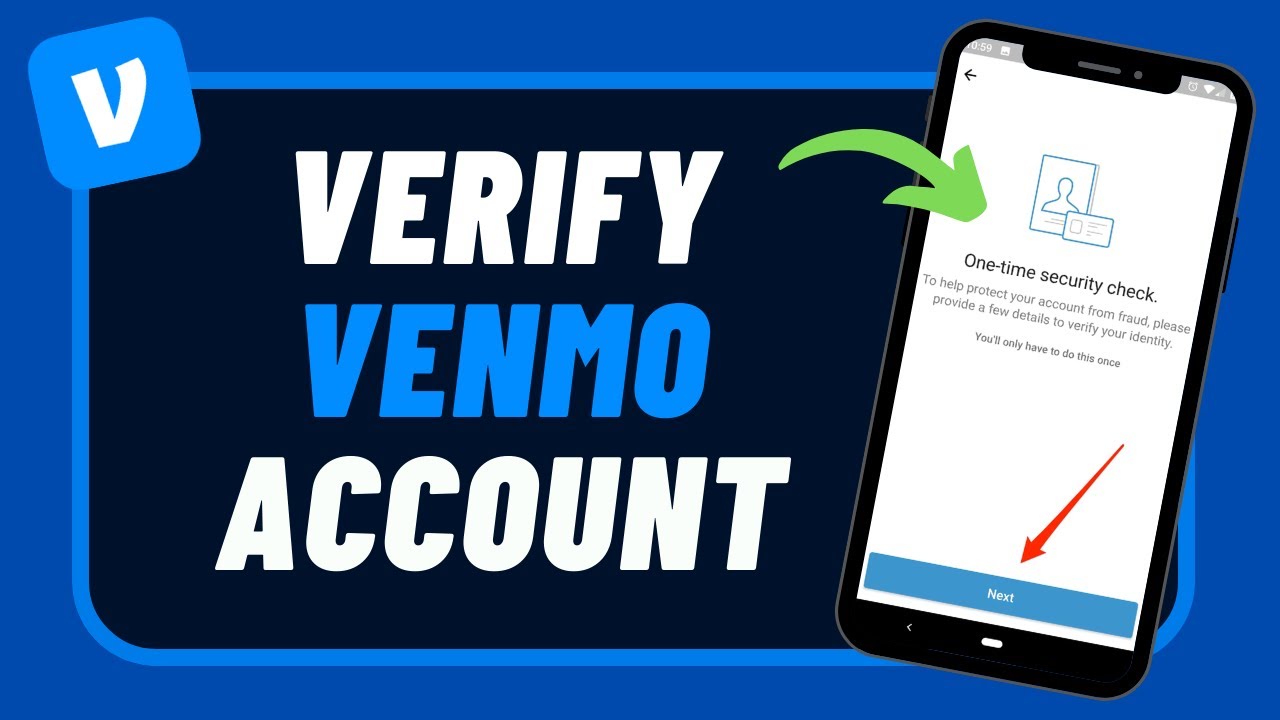
Venmo Email Verification – Complete Guide and Troubleshooting Tips

Venmo is a popular peer-to-peer payment app, allowing users to send and receive money easily. As part of its account security measures, Venmo requires email verification during the setup process. This guide will explain Venmo email verification steps, troubleshoot common issues, and provide tips on how to verify your Venmo bank account and overall account.

Venmo Email Verification Process

Verifying your email on Venmo is essential to ensure that your account is secure and to allow full access to Venmo’s features. Here’s how to verify your email on Venmo:

Check Your Email for the Verification Link: After signing up, Venmo sends a verification email to the address you used during registration. Open your email inbox and look for an email from Venmo.
Click the Verification Link: Open the email and click on the link provided to verify your email. This action confirms your email address with Venmo, completing the process.
Confirm in Venmo App: Once you click the link, open the Venmo app to ensure your email status shows as “verified” in your account settings.
If you don’t see the email, make sure to check your spam or junk folder, as verification emails sometimes end up there.

Venmo Email Verification Not Working – Common Solutions

If your Venmo email verification isn’t working, try these troubleshooting steps:

Check Email Spam/Junk Folder: Sometimes, verification emails are filtered out. Search for Venmo’s email in both the spam and promotions tabs.
Resend the Verification Email: In the Venmo app, navigate to Settings > Account > Email Address and tap the option to resend the verification email.
Verify You Entered the Correct Email: If you mistyped your email during registration, you may need to correct it in your account settings or contact Venmo support.
Clear Cache and Cookies: If you’re accessing Venmo through a web browser, clear your browser’s cache and cookies before trying again.
Contact Venmo Support: If verification issues persist, reach out to Venmo support to assist with email verification.

Venmo Email Verification Phone Number

Although Venmo does not have a dedicated support phone number for email verification, users can reach Venmo support through the following channels:

Venmo Help Center: Access troubleshooting articles on Venmo’s website, which may help resolve your verification issue.
In-App Support: Open the Venmo app, go to Settings > Help > Contact Us to chat with Venmo’s support team.
For more detailed assistance, contacting Venmo support directly is the best way to resolve ongoing verification issues.

Venmo Email Verification Number

Venmo’s verification process may also require entering a verification code (often called the “verification number”) sent to your email or phone. Here’s how to use this feature if needed:

Open Verification Email/Text: Venmo sends a six-digit code for additional verification. Open the email or text message and find the code.
Enter the Code in the Venmo App: Go to the app and enter the code when prompted to verify your email or phone number.
This added layer of security ensures that only the account owner can access Venmo’s services.

How to Change Venmo Email Without Logging In

If you’re unable to log into Venmo and need to change your email, you’ll need to contact Venmo support for assistance. Here’s how:

Visit Venmo’s Help Center: Go to Venmo’s website and navigate to the Help Center.
Select “Contact Us” Option: Choose the option to reach out to support via email or chat.
Verify Your Identity: Venmo support will likely require information to verify your identity, such as your name, phone number, and last known email address on the account.
Request Email Change: Explain that you need to update your email address, and support will assist you in making the change.
Since Venmo does not provide a direct option to change your email without logging in, working with Venmo support is the most effective way to handle this.

Phone Number for Venmo Verification

Venmo uses your phone number for verification to enhance security. Here’s how to set up and verify your phone number on Venmo:

Add Your Phone Number: In the Venmo app, go to Settings > Account > Phone Number and add your number.
Receive a Verification Code: Venmo will send a six-digit code via SMS to your phone number.
Enter the Code: Input the code in the app to verify your number. Once completed, your phone number will be linked to your Venmo account.
This phone verification helps Venmo authenticate account access and enhances overall account security.

How to Verify Your Bank Account on Venmo

Verifying your bank account on Venmo is essential for seamless transfers and withdrawals. Here’s a quick guide:

Link Your Bank Account: Go to Settings > Payment Methods > Add a Bank or Card and select your bank.
Choose Verification Method: Venmo offers instant verification via your bank’s login credentials or manual verification if you prefer.
Instant Verification: Use your bank credentials to log in through Venmo’s secure portal. If successful, the verification will be immediate.
Manual Verification: Venmo will send two small deposits (each under $1) to your bank account within 1-3 days. Once received, enter the amounts in the Venmo app to complete verification.
Bank verification allows you to transfer funds seamlessly between Venmo and your bank account.

How to Verify Your Venmo Account

Verifying your Venmo account involves confirming your identity to access full features, such as higher transfer limits. Here’s how to complete account verification:

Go to Identity Verification: Open the Venmo app, go to Settings > Identity Verification.
Provide Personal Information: Venmo will ask for information such as your legal name, address, date of birth, and Social Security Number (SSN).
Submit Documentation if Required: In some cases, Venmo may require additional documentation for verification. Follow the prompts to upload any requested documents.
Once verified, your account will have higher transfer and withdrawal limits and provide full access to Venmo’s services.

Conclusion

Completing email verification on Venmo is crucial for account security and access to the app’s features. For those facing issues, troubleshooting steps like checking spam folders, resending the verification email, and contacting support can resolve most issues. Verifying your phone number, bank account, and overall account further secures your Venmo profile and ensures smooth transactions.
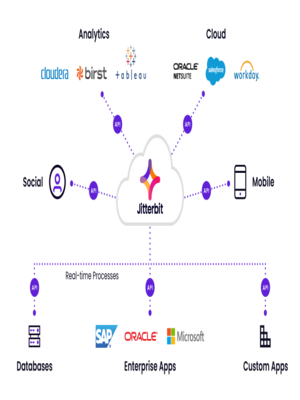

API Integration: Unlocking Seamless Connections for Your Business

API Integration is a powerful tool that connects different software applications, enabling seamless communication and data exchange. It automates processes, enhances user experiences, and boosts business efficiency. By integrating APIs, businesses can improve productivity, reduce costs, and scale operations effectively. However, API integration comes with challenges such as complexity, security risks, and performance issues. This article explores the benefits of API integration, the challenges to watch out for, and the best practices to ensure successful implementation. Whether you’re a small business or a large enterprise, understanding and utilizing API integration can transform your operations and drive long-term success.

0

codelattice

Transform your business with Codelattice’s innovative digital solutions. From custom software development and AI-driven applications to comprehensive digital marketing strategies, our team empowers brands worldwide to reach their full potential. Discover why leading businesses choose Codelattice for their digital transformation journey

An ai tester  is a tool or software used to test artificial intelligence systems. It checks if the AI is working correctly, finds errors, and ensures the AI’s responses are accurate, reliable, and perform as expected in different scenarios.

AI Tester

AI Tester


Top 10 Mobile App Development Companies in the UK | Expert Services for Business Growth

The demand for mobile app development services has seen incredible growth in recent years, driven by businesses’ needs to connect more seamlessly with their audiences and streamline operations. The UK has become a hotspot for mobile app innovation, housing companies renowned for creating intuitive, user-friendly, and high-performance applications.

In this article, we’ll explore the top mobile app development companies in the UK, focusing on their key strengths, the types of solutions they offer, and what makes them stand out in this competitive industry.

1. Mtoag Technologies
Mtoag Technologies is a leader in the field of mobile app development, specializing in custom app solutions for businesses across various sectors. With a team of experienced developers, Mtoag builds high-quality applications tailored to meet client-specific needs. Known for its innovative approach, Mtoag combines cutting-edge technologies like AI and machine learning with traditional app development, ensuring users experience top-notch functionality.

2. Fueled
Fueled is recognized for its creative and interactive app designs, which are built with both usability and aesthetic appeal in mind. Fueled serves clients in the UK and globally, developing apps for startups as well as established enterprises. Their unique approach focuses on engaging designs that help clients boost brand visibility.

3. Hedgehog Lab
Hedgehog Lab is an experienced digital agency in mobile and web app development. They have delivered solutions for major industries, including healthcare, finance, and retail. Hedgehog Lab’s team emphasizes a user-centric design process, helping clients launch apps that meet users’ demands and drive customer satisfaction.

4. Intellectsoft
Intellectsoft is a technology partner for companies aiming to bring digital innovation to their operations. With an impressive portfolio of mobile app development services, Intellectsoft specializes in creating custom apps that help businesses enhance their productivity and efficiency. They utilize modern frameworks and agile development methods to deliver reliable and scalable apps.

5. Theodo
Theodo is known for its agile development approach and quick turnaround times. The company’s developers focus on MVP (Minimum Viable Product) development, making it an ideal choice for startups and businesses looking to get their apps launched quickly. Theodo’s UK-based team works closely with clients, providing transparent and collaborative services.

6. Digiryte
Digiryte is a renowned digital agency specializing in mobile apps and software solutions. Their team of skilled developers and designers work together to provide high-quality apps that cater to business requirements. Digiryte is known for its tailored solutions and strong customer service, making it a trusted partner for both small and large companies.

7. Waracle
Waracle offers comprehensive mobile app development services, with a focus on sectors like healthcare, finance, and utilities. Known for their innovative approach to app development, Waracle’s team delivers seamless experiences across mobile platforms, ensuring clients reach and engage their target audiences effectively.

8. Mubaloo
Mubaloo is a London-based mobile app development company with a reputation for creating apps that transform businesses. Their approach combines strategy and creativity, focusing on user engagement and retention. Mubaloo works with leading companies in the UK and abroad, ensuring their apps are robust, secure, and scalable.

9. Apadmi
Apadmi is a UK-based agency with extensive experience in delivering high-quality apps for various industries. Apadmi’s expertise in user experience and design makes their apps popular with both businesses and end users. Known for providing excellent customer support, Apadmi collaborates closely with clients to create apps that drive user engagement.

10. Magora Systems
Magora Systems is a software development company with expertise in mobile and web applications. They offer end-to-end solutions for businesses, from conceptualization to development and maintenance. Magora Systems is dedicated to delivering apps that are not only functional but also align with the client’s long-term objectives.

Benefits of Partnering with a Mobile App Development Company
Choosing the right mobile app development company can provide numerous advantages. These agencies bring a wealth of technical expertise and creative skills, ensuring the development process is smooth and efficient. The right partner will also have a deep understanding of mobile trends, allowing them to craft solutions that keep your app relevant and engaging.

Key Considerations When Choosing a Mobile App Development Company
When selecting a mobile app development partner, there are several factors to consider:

Experience and Portfolio: Evaluate the company’s experience and review their previous projects to see if they align with your needs.
Industry Knowledge: Opt for companies with expertise in your industry, as they are more likely to understand your business requirements.
Technology Stack: A good development partner will use a technology stack that matches your project’s goals.
Communication and Support: Transparent communication and strong support during and after development are essential for project success.
Why Mobile Apps Are Essential for Modern Businesses
Mobile apps have become a crucial asset for businesses, enhancing user engagement and providing a convenient platform for customers to interact with a brand. Here are some reasons why investing in mobile app development services is beneficial:

Enhanced Customer Engagement: Apps provide direct access to customers, enabling personalized interactions and quick response to feedback.
Increased Revenue Opportunities: With in-app purchases, subscription models, and ads, businesses can generate revenue from their mobile apps.
Brand Loyalty: Mobile apps help establish brand loyalty, as customers value easy access and personalized experiences.
Data Collection: Apps provide valuable insights into customer behavior, helping businesses refine their strategies.
Future of Mobile App Development in the UK
The mobile app development industry in the UK continues to grow, with advances in technology and a focus on delivering quality, user-friendly applications. The future of mobile apps will likely be shaped by the following trends:

AI and Machine Learning Integration: As AI technology advances, more apps will incorporate AI-driven features, enhancing user experience and automating processes.
5G Technology: With the expansion of 5G, app developers will be able to create faster and more responsive applications, especially for data-intensive uses.
Augmented Reality (AR): AR technology is becoming more popular, particularly in retail and gaming. This trend will likely continue to grow as developers find new ways to engage users.
Internet of Things (IoT) Integration: Mobile apps are increasingly being integrated with IoT devices, enabling users to control and monitor smart devices directly from their phones.
Conclusion
The UK’s mobile app development landscape is rich with talent and innovation, making it one of the best places for businesses seeking to invest in mobile technology. By partnering with a top-tier mobile app development company, businesses can ensure they receive the expertise and resources necessary to develop a high-performing and user-friendly app. Investing in mobile app development services offers businesses a chance to enhance customer engagement, increase brand loyalty, and stay ahead of the competition.

Whether you’re a startup or an established company, finding the right app development partner will pave the way for success in the digital world. With the right app, businesses can improve operations, expand customer reach, and drive growth in an increasingly mobile-focused market.


What to do if Your Cash App Account is closed?

For many, Cash App is a convenient tool for handling everyday financial transactions, from paying friends to managing expenses. However, there are instances where users find their Cash App account closed unexpectedly, disrupting their financial routine. In this article, we’ll explore the reasons why Cash App may close an account, how to address the situation, and what steps you can take to regain access or create a new account.

Why Cash App Might Close Your Account

There are several reasons why Cash App may shut down an account. Understanding these causes can help you prevent issues in the future or resolve a current problem more effectively.

1. Violation of Terms of Service

Cash App maintains strict guidelines to protect users and ensure smooth operations. Violating these terms—such as conducting transactions that are deemed suspicious or involving unauthorized activities—can result in the closing Cash App account. Common violations include:

Using a Cash App account for business purposes without permission.
Engaging in gambling transactions.
Using fraudulent credit cards or debit cards.
Creating multiple accounts under the same identity.
2. Suspicious or Unusual Activity

Cash App monitors transactions for any activity that deviates from typical use patterns. Unusual transactions, especially those involving large sums of money, frequent transfers to unknown accounts, or potential fraud alerts, can trigger a suspension or closure as a security measure.

3. Failed Verification Attempts

If Cash App requires verification and you fail to provide the necessary documentation, it may result in account closure. Verification is important for compliance with financial regulations and fraud prevention.

4. Multiple Accounts

Creating multiple accounts with the same phone number or email address, or using different names and personal information, is prohibited by Cash App’s terms of service. Attempting to open multiple accounts without authorization can result in all accounts being suspended.

5. Reports from Other Users

Cash App provides a reporting system to maintain community standards. If other users report your account due to suspicious behavior or for violating Cash App policies, your account may be reviewed and, if necessary, closed.

What to Do if Cash App Closed Your Account

If you find that Cash App has closed your account, don’t panic. There are steps you can take to understand the issue and potentially regain access.

1. Contact Cash App Support

The first and most crucial step is to contact Cash App’s customer support team. Here’s how to reach them:

Open Cash App and tap on your profile icon.
Navigate to Support and select Something Else.
From there, choose Account Settings and explain the situation in detail.
Provide as much information as possible, including any emails or notifications you’ve received about the account closure. Cash App’s support team may request further documentation to verify your identity.

2. Gather Documentation

If Cash App closed your account due to failed verification or suspicious activity, be prepared to submit documents such as:

A valid photo ID (driver’s license, passport, etc.)
Bank statements or recent transaction records
Proof of address
Providing clear, accurate documentation can help speed up the reactivation process.

3. Wait for Account Review

After submitting your information to Cash App, there will be a waiting period as the company reviews your account. During this time, avoid creating new accounts or using alternative email addresses, as this may complicate your case. Cash App typically notifies you by email or through the app once a decision has been made.


Can You Recover a Closed Cash App Account?

In many cases, it is possible to recover a closed Cash App account, especially if the closure was due to a misunderstanding or an easily resolvable issue. If your account was closed due to:

Security concerns or suspicious activity, Cash App may reopen it after verifying your identity.
Failed verification attempts, submitting the required documents can lead to reinstatement.
Violation of terms (non-severe cases), you may receive a warning, and Cash App might allow you to access your account under strict guidelines.
However, if Cash App determines that the closure was due to severe or repeated violations, it may be impossible to recover the account.

Creating a New Cash App Account after Closure

If Cash App decides not to reopen your cash app account, you may consider creating a new account. Here’s what to keep in mind:

1. Use New Contact Information

Cash App tracks users by email address, phone number, and bank account details. To avoid issues, register a new account using a different email and phone number than those associated with your closed account.

2. Follow Cash App’s Terms of Service

To avoid having your new Cash App account closed, be cautious with transactions, avoid any prohibited activities, and follow Cash App’s guidelines closely.

3. Link a New Payment Method

If you plan to use a bank account or card, ensure it’s different from the one linked to your previously closed account. This helps prevent detection of duplicate accounts and ensures smoother transactions.

Preventing Account Closure in the Future

Keeping your Cash App account active and avoiding closure can be simple with these tips:

Verify Your Identity: Complete any identity verification steps requested by Cash App to prevent account restrictions.
Follow Terms of Service: Avoid engaging in any prohibited activities, including using Cash App for business without authorization or conducting unusual transactions.
Monitor Transactions: Avoid frequent transfers of large sums, especially to unknown users, as this can trigger Cash App’s fraud detection algorithms.
Secure Your Account: Enable two-factor authentication and keep your app updated to protect against unauthorized access.
FAQs

1. Can I recover my Cash App account if it was closed?

Yes, in many cases, Cash App will allow users to recover their accounts after completing identity verification and resolving any issues flagged on the account. However, severe or repeated violations may make recovery difficult.

2. How long does it take for Cash App to respond to a support request?

Cash App’s response time varies, but it typically takes 1–3 business days for initial responses. Account review processes may take longer, depending on the complexity of the case.

3. Can I create a new Cash App account after my account was closed?

Yes, you can create a new Cash App account, but you must use a different email, phone number, and possibly even a new bank account. Adhering to Cash App’s terms of service is essential to prevent closure of the new account.

4. Why did Cash App shut down my account?

Cash App may close an account for reasons including violations of terms of service, suspicious activity, failed verification attempts, or multiple account creation. Reviewing Cash App’s policies can provide clarity on what activities may lead to account closure.

5. Can I use the same bank account with my new Cash App account?

It is recommended to link a new bank account or card to a new Cash App account. Using previously linked financial details could result in detection as a duplicate account.

Conclusion

Discovering that Cash App has closed your account can be frustrating, but there are several actions you can take to resolve the issue. Start by contacting Cash App support, gather any necessary documentation, and be patient through the review process. If reactivation is not possible, you can open a new account with fresh contact details. Taking steps to verify your identity, follow Cash App’s guidelines, and monitor account activity can help you avoid similar situations in the future.

Helixwebi Web Designing Company Surat

HelixWebi is a number one web design and website development company in Surat since 2007. We utilize innovative techniques to build the most unique and astonishing websites for several businesses and make sure they reach the highest position in their online business.

Being a top web designing company in Surat, India, we provide enormous and quality business solutions at reasonable prices including website design, website development, E-commerce web developmentMLM softwareCRM softwareOnline examination software, ERP software, every kind of Custom web based software and SEO service and so on to several organizations. Our highly skilled team can provide you with the most unique websites that will make your business distinct from all your rivals.

Picnob

Picnob is the content publishing platform. We Publish latest trends & emerging technologies content for our readers. Anyone can Submit or write for us technology, games, casino, seo, saas & digital marketing guest post. Submit content at info@thepicnob.com

Titanlink

Der MFM1T02A-LR Mellanox von TitanLINK ist ein Premium SFP+ 10GBASE-LR Transceiver, der mit allen Mellanox 10G Geräten kompatibel ist. Mit einer Reichweite von bis zu 10 km über OS2 Singlemode-Faser und Digital Diagnostics (DDM/DOM) bietet er hohe Leistung und Zuverlässigkeit. Temperaturbereich: 0°C bis 70°C. Profitieren Sie von einer lebenslangen Garantie – bestellen Sie noch heute und optimieren Sie Ihre Netzwerkverbindung!

0