How to Transfer money from Venmo to Bank Immediately

If I Have Money in My Venmo Account, and I Want to Transfer It to Someone, Will It Take It Out of My Venmo Account or Bank Account?

When you transfer money from Venmo account generally it is debited from your Venmo balance. However, if there is not enough balance in your Venmo account, the Otherwise, the money will be charged to your preferred payment method (linked bank account, debit card, or credit card). Venmo makes it quite simple to transfer money between friends, pay for good and services, or even add funds your balance. There are several methods available to add funds to your Venmo account through linked bank account or debit card. Let’s begin and learn more about these so that you can choose your preferred way for funds your Venmo account.


How Do I Transfer Money from a Bank Account to Venmo?

Before you transfer money from a bank account to Venmo, make sure you have linked both accounts. Then you initiate the transfer by taking the steps mentioned below:

·         Link Your Bank Account: To link your bank account with Venmo, open the Venmo App, go Settings, Payment Methods and Add Bank or Card and then click on the Add button. You will be asked for your bank details or sign in details to successfully the link the bank account with Venmo.

·         Once your have linked the bank account with Venmo, go to the app’s homepage, click Mange Balance, and add money as per usual. Follow the required steps to transfer money from bank account to Venmo.

·         At last, recheck all the details before you confirm the transfer.


How Do You Transfer Money from Venmo to Someone Else’s Bank Account?

When you transfer money from Venmo to someone else’s bank account, you have two options you can either initiate the standard transfer or the instant transfer. Both this option comes with different fees and timings. Once you have thought upon the transfer speed, then you can take the steps mentioned below to transfer money from Venmo to someone else’s bank account:

·         Open the Venmo app on your mobile phone.

·         On the Homepage select the recipient

·         Next enter details such as their username, email address, or phone number (if they do not already exist).

·         Input the total payment amount as well as any memos or notes related to it. Depending on your preference, money can either be sent using Venmo or linked bank accounts.

·         As soon as you confirm a transaction, you can choose your source of payment – either your Venmo account or the linked bank account. Venmo will send your funds instantly if your recipient has connected their bank account.


How Do I Transfer Money to a Venmo Balance?

To transfer money to Venmo balance, you need to simply link a bank account or debit card. Once you have linked the bank account you can transfer funds directly to your Venmo balance. Additionally, money can also be sent directly from other people using Venmo who send you payments that go straight into your Venmo account so they can be used later for payments or expenses.


Can I Instantly Transfer Money from Venmo to a Bank Account?

Yes, you can instantly transfer money from Venmo to bank account. When you need money urgently you can use the Venmo instance transfer method. Venmo charges a fee of approximately 1% on every transferred amount, enabling users to transfer money instantly between their Venmo account and linked bank accounts – perfect for quickly accessing funds! Money will arrive in your account shortly after it has been processed.


How Do I Trace Money Transferred from My Bank Account to a Venmo Account?

You can trace money transferred from bank account to Venmo account by taking the steps mentioned below:

·         To view the transaction first of open the Venmo app on your smartphone.

·         Go to the “” Menu and tap on “Statements”.

·         To review when money was transferred; please wait a few days if a particular transaction cannot be located due to processing times of banks.


How Long Does It Take to Send and Receive Money on Venmo?

When sending money on Venmo, payments typically reach the recipient’s Venmo account immediately, but bank transfers to or from your bank account can take 1-3 business days for standard transfers or less than an hour for instant transfers with a fee.

·         Standard Venmo transfer: The standard transfers on Venmo are free, however it takes 1-3 business days to complete the transfers.

·         Instant Transfer: Venmo instant transfers arrive typically arrive within 30 minutes. But a 1.75% fee (minimum $0.25, maximum $25) is deducted from the transfer amount. 

Boost Your Venmo Limit by Verifying your Identity

Venmo offers an easy and quick payment method without the need for cards or cash; however, like other money transfer services it does limit how much can be sent or received at one time as well as its overall costs. Venmo’s wide acceptance comes with an important caveat – there are limits placed upon transactions via this payment platform and others like it, including how much can be sent/received by individuals or business accounts. Problematic for those transferring large sums for business reasons or personal transfers between relatives, Venmo limits are set according to various aspects, including your account history and verification status.

There are various ways you can increase Venmo limit, but one surefire method is ensuring all transactional details are correct, including names, numbers and email addresses used to identify users. One step to increase your Venmo limit should be verifying your identity before linking a bank account – doing this will protect customers against fraud while offering secure payment solutions and increasing credibility among your customer base.


Introduce Venmo and Its Popularity among Users

Venmo first debuted in 2009 as an easy way for mobile device users to send and receive money quickly. PayPal acquired Venmo in 2013, which saw its popularity skyrocket across America. Since then, millions of people rely on Venmo to handle personal and professional financial transactions; whether paying for dinner with friends, reimbursing someone for shared trip expenses, or making child care payments – Venmo can become an indispensable tool in managing everyday financial transactions.


What are the Venmo Transactions Limits?

Venmo places restrictions on how much money can be transferred or received without being verified with who you say you are, with transactions restricted to $3,000 daily in each direction. To increase this limit, it is first necessary to verify your identity by providing some personal details. This process may take up to one week but should usually be free. Once verified, your limit will increase by the amount specified when setting it initially.


Reasons Why There Is a Venmo Limit in Place?

Venmo limits transactions to ensure user security, prevent fraud and adhere to federal laws. Here are some reasons for these limits:

·         Venmo transfer limit aims to prevent fraud reduces the risk of fraudulent activities.

·         Venmo provides secure funds by limiting the amounts that can be transferred without verification, protecting its users against fraudulent transactions. Even if someone gains access to your account, they will not be able to conduct large transactions without your approval.

·         Maintain Integrity of the System Reducing transactions helps Venmo better control its systems and prevent misuse on its site; while also making sure its servers don’t become overwhelmed with large transactions, providing a better overall user experience.


How to Increase Your Venmo Transaction Limit?

If the current Venmo weekly limit on transactions does not meet your needs, do not fret – Venmo allows you to raise it! But this requires you to verify your identity through their application – typically this involves providing personal details as well as identification issued by government (like an ID card for drivers or passport). Here is how you can increase the limit of your Venmo transactions:

·         Open the Venmo App and go to Settings.

·         Scroll down until you find Identity Verification under “Account.”

·         Follow the screen instructions to provide your personal data, including full title of name birth date address date of birth and last four numbers from Social Security Number (SSN).

·         Once completed, you will be asked to submit a clear photo of your government-issued ID.

·         Once you have submitted your request, Venmo will process it based on how many verification requests there are. Processing could take from hours up to days based on its volume.


How to Stay within Your Venmo Limit?

Although you have increased the limits on Venmo, it is essential that your transactions remain controlled. Here are a few suggestions for staying within the boundaries of your Venmo limit and making transactions run smoothly:

·         If you know you will require large sums, devise a plan, and spread out your transactions over a week so you stay within your limit without waiting for verification.

·         Venmo provides you with a detailed breakdown of your transaction history and limits, so be aware of your activities to avoid exceeding either the daily or weekly limit on Venmo.

·         If you need to transfer an extravagant sum, bank transfers or another method with less restrictions could be better suited.


What are the Alternatives to Venmo for Larger Transactions?

Venmo may be great for smaller transactions, but there may be better platforms out there to handle larger ones. Here are a few alternatives you should consider:

·         Zelle is a direct bank-to-bank transfer system with no transaction limits for verified users, typically more efficient than Venmo and could provide solutions for larger transactions.

·         Venmo and PayPal are closely connected. Both services offer higher transaction limits and are increasingly used by businesses.

·         Cash App allows users to send and receive larger sums of money easily, as well as providing other features like investing in Bitcoin or stocks.


FAQ

How do I increase my Venmo limit?

To increase the limits on your Venmo account, it is necessary to verify your identity by providing personal data and an official ID issued by the government.


What is the Venmo sending limit per day?

Venmo sending limit to unverified accounts are set at $299.99 weekly; once an account has been verified, this limit increases to $4,999.99 weekly.


How long does it take for Venmo to verify my identity?

Venmo typically completes authentication within hours to days, depending on the volume of requests received.


What happens if I exceed my Venmo limit?

If your Venmo limits are exceeded, any transaction that exceeds them will be denied and you may have to wait until they are reset or verify your identity to increase them.


Can I use Venmo for business transactions?

Absolutely, Venmo accepts business accounts; however, transaction limits and fees may differ between personal accounts and business accounts.

How can I verify my Venmo account?

Venmo has quickly become the go-to mobile payment app among millennials and Gen Zer’s alike, thanks to its convenience in sending and receiving money transfers, paying services fees, and splitting bills all using one phone app. Like any financial platform, Venmo must comply with certain regulations such as Know Your Customer (KYC), which protects against fraud, money laundering and any illegal activities.

Venmo ID Verification is part of its regulations to ensure it is used legitimately. Verifying identity before gaining access to certain features or making larger-valued transactions may be required before they can use Venmo. Some users wonder if they can still use Venmo without going through verification, which many find confusing and daunting.


What is Venmo ID Verification?

Venmo’s ID verification process verifies the identity of every Venmo user. When you register, Venmo requests personal details from you such as your name, birthdate, and address as well as four digits from your Social Security Number (SSN). Depending on where you reside you may also need to submit documentation confirming your identity such as government issued ID cards or other forms of documents to complete this step.


Can I Use Venmo Without Verifying My Identity?

Yes, but there are limitations. You can use Venmo without verification however, you will have limited access to features. Venmo provides users with an option to create accounts and carry out basic functions without first verifying identity, though these features are limited in functionality.

·         Venmo allows users to transfer money without verifying their ID to family and friends, though the limit for unverified accounts is usually $299.99 weekly.

·         Receiving Money: With Venmo you can receive funds up to $299.99 without going through the Venmo verification process.

·         Transferring Funds: Users who are not verified may only make transfers up to $999.99 each week from their linked accounts to their bank accounts.

·         Limit Features: To use advanced features like sending money directly to someone outside your circle or transferring larger sums, your Venmo account must first be verified.


Why is Venmo ID Verification Important?

Venmo’s verification of identity process serves both to protect its platform and users. Below mentioned are the reasons why Venmo ID verification is important:

·         Venmo must comply with federal KYC (Know Your Customer) regulations, verifying an individual’s identity to meet anti-money-laundering legislation and prevent fraudulent activity on its platform.

·         Identity verification safeguards your accounts by verifying who can make transactions or use an app.

·         Verifying your account allows for higher transaction limits when sending and receiving money.

·         Verified users often enjoy faster access to their funds when transferring it directly into an associated bank account, while withdrawals from unverified accounts often take longer to be processed.


How to Verify Your Venmo Account?

Verifying your Venmo account is an essential yet straightforward way to unlock its full capabilities and increase transaction limits. Here is how you can do just that:

·         Verification can begin once your Venmo account has related to an approved bank, enabling you to receive money and conduct transactions easily.

·         Venmo requires your full name and address information as well as date of birth and last four Social Security Number digits to verify your identity.

·         Venmo will ask for a photo of your passport, driver’s licence or another form of government issued ID depending on your account risk or transaction volume.

·         Venmo may verify your identity within one to three days after providing their information, with your account becoming active after verification and increased transaction limits and benefits available to you.


What are the Common Issues with Venmo ID Verification?

Venmo ID verification may pose difficulties for certain users. Below mentioned are the main reasons why Venmo verification not working:

·         Venmo Verification Doesn’t Work: If you are having difficulties with Venmo verification, make sure that all information provided is accurate. Venmo can become confused when trying to authenticate an identity if there are typographical mistakes or outdated addresses present; these could prevent Venmo from successfully verifying an individual.

·         Venmo identity verification taking forever: Typically, verification should take between one and three days, however if it takes longer there could be issues with your documentation or an overwhelming volume of requests for verification requiring Venmo Support’s intervention to resolve.

·         Issues with Venmo ID Verification with Phone Numbers: Venmo may be unable to complete your ID Verification successfully if your phone number has not been linked correctly with your account, or if SMS codes do not arrive properly. Check your account settings and ensure your phone number is listed as valid to complete ID Verification successfully.

·         Venmo ID Verification Phone Number: When Venmo authenticates your account, they assign it a unique number that distinguishes between it and your username/phone number. You can locate this in your settings – usually under “Profile” and “Settings.”

·         Venmo App ID Verification: Make sure that you are using the most up-to-date version of Venmo’s mobile app to ensure success in verifying your ID. An outdated app could create issues.


What to Do If Venmo Verification is Not Working?

You need to take the steps mentioned below if Venmo ID verification is not working:

·         Make sure the details you enter match up with those found in official documents.

·         As older versions of Venmo may cause verification issues, check that you are using the most up-to-date version.

·         Venmo customer service can assist in resolving verification issues and verify your account quickly and reliably.


FAQ

Can I use Venmo without verifying my identity?

Venmo allows users to send and receive money without providing identification verification; however, there are restrictions. Unverified accounts have a weekly transaction limit of $299.99.


How long does it take to verify my Venmo identity?

Venmo’s ID verification may take up to three business days depending on the nature and frequency of requests made as well as accuracy of information provided.


What happens if my Venmo ID verification fails?

If your Venmo verification does not work as planned, double-check all information such as bank account details, SSN, and government identification documents to make sure everything is in order. Upgrade the app and try again – updating might make a difference too.


How can I verify my Venmo account?

Verify your Venmo account by connecting a bank account to it, then following the instructions in the app to do so. Venmo may require account numbers or verification details to validate that everything has been done properly and verify your connection to Venmo.


Can Venmo verify my bank account?

Venmo will conduct an in-bank verification process that confirms your bank information for seamless funds transfer between Venmo Accounts.

A Beginner’s Guide to Sending Money from Venmo to Cash App

Venmo and Cash App are two of the most popular mobile payment platforms, offering seamless ways to send and receive money. However, many users find themselves wondering how to transfer money from Venmo to Cash App directly. Since the two services do not have an official integration, you will need to use an intermediary method. This guide will walk you through the process step by step.

Can You Transfer Money Directly from Venmo to Cash App?
Currently, Venmo and Cash App do not offer a direct transfer option. However, you can still move your funds between the two platforms by linking a common bank account or using a Venmo debit card. Below are the most effective methods to complete this transfer efficiently.

Method 1: Using a Linked Bank Account
One of the simplest ways to transfer money from Venmo to Cash App is by linking the same bank account to both apps. Follow these steps:

Step 1: Transfer Money from Venmo to Your Bank Account
1.      Open the Venmo app and log in to your account.

2.      Tap on the “☰” menu in the top-left corner.

3.      Select “Transfer to Bank” or “Manage Balance.”

4.      Enter the amount you want to transfer.

5.      Choose either Venmo Instant Transfer (with a Venmo instant transfer fee) or Standard Transfer (which is free but takes 1-3 business days).

6.      Confirm the transfer and wait for the funds to reach your bank account.

Step 2: Transfer Money from Your Bank to Cash App
1.      Open the Cash App and log in.

2.      Tap on the Banking Tab (the icon resembling a house or bank).

3.      Select “Add Cash.”

4.      Enter the amount you wish to transfer from your bank.

5.      Choose your linked bank account and confirm the transaction.

6.      Wait for the funds to be available in Cash App.

Method 2: Using a Venmo Debit Card
Another effective method is by using the Venmo Debit Card, which allows you to add money to Cash App instantly.

Step 1: Order a Venmo Debit Card
1.      Open Venmo and navigate to “Cards” in the menu.

2.      Request a Venmo Debit Card (if you haven’t already).

3.      Once received, activate it in the Venmo app.

Step 2: Link Your Venmo Debit Card to Cash App
1.      Open Cash App and go to the Banking Tab.

2.      Select “Add Bank” and choose “Add Debit Card.”

3.      Enter your Venmo Debit Card details.

4.      Confirm and save the changes.

Step 3: Transfer Money to Cash App
1.      Tap “Add Cash” in Cash App.

2.      Enter the amount you want to add.

3.      Select your Venmo Debit Card as the funding source.

4.      Confirm the transaction.

5.      The money will be available instantly.

How Much Can You Send on Venmo for Free?
Venmo allows users to send up to $299.99 per week before verifying their identity. Once verified, you can send up to $4,999.99 per week for peer-to-peer transactions. If you’re wondering how do I send money with Venmo, simply tap “Pay”, enter the recipient’s username, the amount, and confirm the payment.

Understanding the Venmo Instant Transfer Fee
While standard bank transfers are free, Venmo Instant Transfer incurs a fee of 1.75% (minimum $0.25, maximum $25 per transaction). If you need money quickly, this is an efficient option.

How Do I Pay Someone with Venmo?
To send money via Venmo:

1.      Open the app and log in.

2.      Tap “Pay” at the bottom.

3.      Enter the recipient’s username or scan their QR code.

4.      Type the amount and add a note (optional).

5.      Select your funding source (balance, linked bank, or card).

6.      Tap “Pay” to complete the transaction.

How Do You Receive Money from Venmo?
If someone sends you money on Venmo, it will appear in your Venmo balance. You can keep it there for future transactions or transfer it to your bank account using Venmo Instant Transfer or standard transfer options.

How to Send Money from Cash App to Venmo
If you need to move funds from Cash App to Venmo, follow these steps:

1.      Link the same bank account to both apps.

2.      Transfer money from Cash App to the bank.

3.      Once the funds reach your bank, add them to Venmo.

Alternatively, you can withdraw cash from Cash App and deposit it into your bank, then move it to Venmo manually.

Conclusion
While there is no direct way to transfer money from Venmo to Cash App, using a linked bank account or the Venmo Debit Card offers a simple workaround. By following the steps above, you can seamlessly move your funds between both platforms. Be mindful of transfer fees and transaction limits when choosing the best method for your needs.

FAQs
1. Can I use a PayPal account to transfer money from Venmo to Cash App?
No, Venmo and Cash App do not support direct transfers through PayPal. You must use a bank account or debit card.

2. How long does it take to transfer money between Venmo and Cash App?
Standard bank transfers take 1-3 business days. Venmo Instant Transfer is immediate but comes with a fee.

3. Is there a limit on how much I can transfer from Venmo to Cash App?
Yes, Venmo limits standard bank transfers to $19,999 per week and instant transfers to $5,000 per transaction.

4. What happens if my transfer fails?
Check your bank details and ensure your accounts are linked correctly. If the issue persists, contact Venmo or Cash App support.

5. Can I transfer money without a bank account?
Yes, using the Venmo Debit Card linked to Cash App allows instant transfers without a bank account.

Venmo Explained: How to Send Money Like a Pro

Venmo has become one of the most popular peer-to-peer (P2P) payment platforms, allowing users to send and receive money with ease. Whether you are paying a friend for dinner, sending rent to a roommate, or purchasing something online, Venmo makes transactions simple and fast. In this guide, we will walk you through how to send money by Venmo, as well as other essential features of the app.


Setting Up Your Venmo Account
Before you can start sending or receiving money, you need to create an account. Follow these steps:

1.      Download the Venmo App – Available on iOS and Android devices.

2.      Sign Up – Use your email address, phone number, or Facebook account.

3.      Verify Your Identity – Venmo may require identity verification for security purposes.

4.      Link Your Bank Account or Card – You can add a debit/credit card or a bank account for funding transactions.

Once your account is set up, you are ready to start using Venmo!


How to Send Money Using Venmo
Step 1: Open the Venmo App
Launch the Venmo app on your smartphone and ensure you are logged into your account.

Step 2: Tap on the “Pay or Request” Button
This button is usually represented by a pen and paper icon at the bottom of the screen.

Step 3: Select a Recipient
You can search for a recipient by their username, phone number, or email. Make sure you choose the correct person to avoid sending money to the wrong user.

Step 4: Enter the Payment Amount
Type in the amount you wish to send. You can also add a note specifying the purpose of the payment.

Step 5: Choose Your Payment Method
·         Bank Account or Debit Card – Free transactions

·         Credit Card – A 3% fee applies

Step 6: Tap “Pay” to Complete the Transaction
Once you confirm the details, click “Pay”, and the money will be sent instantly.


How Do I Pay Someone on Venmo?
The process of how do I pay someone on Venmo is straightforward. Simply open the app, select the recipient, enter the amount, choose the payment method, and confirm the transaction. You can even add an emoji or a message for fun!


How Do I Send Money Through Venmo?
If you are wondering how do I send money through Venmo, just follow these steps:

1.      Open the Venmo app

2.      Tap on “Pay or Request”

3.      Choose the recipient

4.      Enter the amount

5.      Select the payment method

6.      Confirm the payment

The recipient will receive the funds almost instantly in their Venmo account.

How to Get Money from Venmo
If someone sends you money on Venmo, it will appear in your account balance. You can leave it there for future transactions or transfer it to your bank.

1.      Go to Your Venmo Balance

2.      Tap “Transfer to Bank”

3.      Select Transfer Type – Instant (small fee) or 1-3 business days (free)

4.      Confirm the Transfer

This process ensures that you always have access to your funds when needed.


How to Transfer Money from Venmo to Bank
If you want to move money from Venmo to your bank, follow these simple steps:

1.      Open the Venmo app

2.      Tap on the “☰” menu

3.      Select “Transfer to Bank”

4.      Enter the amount you want to transfer

5.      Choose Instant Transfer (for a fee) or Standard Transfer (free, takes 1-3 days)

6.      Confirm the transaction

By following these steps, you can easily access your Venmo funds in your bank account.


How Do I Receive Money on Venmo?
When someone sends you money, it will appear in your Venmo balance. You can keep it there to make payments or transfer it to your bank.

1.      Check Your Venmo Balance – Open the app to see the received amount.

2.      Keep It in Venmo or Transfer to Bank – If you wish to withdraw, follow the steps outlined in the previous section.

Venmo automatically keeps track of all transactions, ensuring transparency and ease of use.


Security Tips for Sending Money on Venmo
To keep your transactions safe, follow these security tips:

·         Enable Two-Factor Authentication (2FA) for added protection.

·         Only Send Money to Trusted Contacts to avoid scams.

·         Regularly Monitor Your Transactions for any suspicious activity.

·         Set Up a PIN Code for extra security.

By following these precautions, you can use Venmo safely and securely.


Conclusion
Venmo is an easy and convenient way to send and receive money. Whether you’re splitting a bill, paying for services, or shopping online, Venmo provides a seamless experience. By understanding how to send money by Venmo, how to transfer money from Venmo to bank, and how do I receive money on Venmo, you can make the most out of this payment app.


FAQs
1. Can I send money on Venmo without a bank account?
Yes, you can use a debit or credit card to fund your Venmo transactions.

2. How long does a Venmo transaction take?
Venmo payments are instant, but bank transfers can take 1-3 business days.

3. Is there a fee for sending money on Venmo?
Sending money via a linked bank account or debit card is free, but credit card transactions incur a 3% fee.

4. Can I cancel a Venmo payment?
No, Venmo payments are instant and cannot be reversed. Always double-check recipient details.

5. How much money can I send on Venmo?
New users have a $299.99 weekly limit, which increases to $4,999.99 after identity verification.

0

Why Won’t Venmo Let Me Send Money from My Balance?

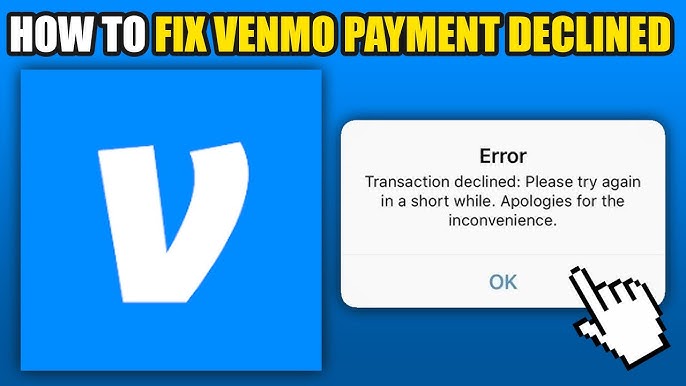
Venmo is one of the most widely used mobile payment platforms, providing users with a fast, safe, and simple way to pay for services or split bills and send money. Unfortunately, it is not perfect; one common complaint among Venmo declined payment. Some of the main causes for declines include incorrectly entering information or temporarily blocking your bank account due to suspicious activities or security concerns. It may be prudent to contact both your card issuer and bank directly for assistance in these instances.

Payments can sometimes be declined due to technical issues, including app glitches and poor internet connectivity. Retrying the payment after double-checking that all information is correct could help in these instances, or restarting your device and switching networks may provide relief. So, let’s begin and learn more about it.


Why is My Venmo Payment Declined?

Venmo payments may be declined for various reasons. Below mentioned are some of the reasons behind payment declined Venmo:

·         Venmo payments can be declined for various reasons, with insufficient funds being one such cause of failure

·         Venmo utilizes various security measures to protect its users against fraudulent activity.

·         Venmo may not be able to process your payment if there is an issue with your chosen payment method, such as invalid credit cards, billing address errors or expired debit cards.

·         Venmo servers may experience errors that prevent transactions from being completed successfully even when all appears normal on your end. Such issues could cause payments to be rejected and payments to be declined.

·         You may reach the Venmo payment limit, this can also be the reason behind declined.


Why my Venmo Payment Declined but I Have Money?

Frustrating as it may be, having money on Venmo yet payments still fail can be very discouraging. There may be several reasons behind it: Venmo may decline transactions even when enough funds exist in your account; perhaps due to issues with payment methods tied to Venmo accounts such as expired debit/credit cards or issues with account details blocking payment processes; these issues could even prevent you from creating Venmo accounts in the first place.


Why Venmo Says Transaction Declined Try Again Later?

Error messages such as, “Venmo transactions declined, please try again later”, may occur when trying to make payments through Venmo. Typically, these errors indicate there may be something amiss with either Venmo itself or your account; temporary maintenance issues or server errors could also be contributing factors.


Why Won’t Venmo Let Me Send Money from My Balance?

Venmo may prevent you from sending money if your account is unverified, or there are issues with the payment method you have linked. Venmo limits which transactions a user with an unverified account is eligible for; to complete transactions you will first need to undergo the verification process which typically involves verifying details such as phone number and providing official government ID documentation.


Why Venmo Payment Declined Security Flag?

Venmo may display a “Venmo declined payment security flag” when its fraud detection system detects suspicious activity such as signing in from an unfamiliar location, making a sudden change to payment frequency or sending money via Venmo to an unfamiliar contact. Venmo may temporarily block your payments when irregularities are identified – to protect its users against potential fraudsters.

Venmo may require you to verify your identity if your payment is declined due to security concerns. You may be asked to answer security questions, upload a selfie, or provide proof of ID to validate yourself.


Why Venmo Won’t Let Me Select Payment Method?

Venmo may make selecting payment options difficult at times, which can be extremely annoying when trying to complete an order. If your card information is invalid or blocked by your bank, this could pose an issue, while Venmo might prevent you from choosing a bank account that has not been linked properly or is in good standing.


Why is My Venmo Debit Card Declining?

There can be various causes for Venmo card declined, with insufficient funds in your Venmo account being one of them. You must ensure there are enough funds in your Venmo account to cover any purchases you wish to make with it.

Your Venmo card could be declined due to expiration, reported as lost or stolen or being restricted in any way that would prevent use. Verify its expiration date as well as whether there are restrictions preventing usage.

Why Venmo Card Declined with Money in Account?

Your issue could lie with either the card you use or payment method. While your Venmo account balance might be enough, transactions will not go through if one or both debit and credit cards are restricted or have issues; or your payment provider has expired cards which need replacing.

In such an instance, it is wise to reassess your payment method and update any obsolete details as soon as possible. Furthermore, verify if there are no issues between linked accounts – Venmo should be contacted if your card has been blocked or flagged as fraud.


Why Does Visa Gift Card Venmo Declined?

Venmo users have reported issues when trying to use Visa gift cards. The visa gift card Venmo declined for various reasons, including restrictions for online or mobile transactions made using Venmo; their balance may not cover payment or their link with Venmo may be broken. To determine this before using it on Venmo it would be wise to read over its terms and conditions to determine whether online transactions are permitted and ensure there are enough funds on the card to complete your transaction.


FAQ

Why is my Venmo declining when I have money?

Venmo may decline a payment due to security flags, expired credit cards or issues with your payment method even if sufficient funds exist.


Why won’t Venmo let me use my balance?

Your Venmo account could still not have been verified or there may be restrictions to your payment method.


Why is my debit card being declined when I have money in my account?

Verify that your Venmo account is linked with your debit card.