
Where Can I Find a Qualified Professional for Dysport Treatment?

What Is Dysport and How Does It Work?
Dysport is a type of injectable treatment that contains botulinum toxin type A. It works by temporarily relaxing the muscles responsible for dynamic wrinkles, such as crow’s feet, forehead lines, and frown lines. The treatment provides a smoother, more youthful look by preventing excessive muscle contractions that cause wrinkles.

Dysport is FDA-approved and widely recognized for its safety and effectiveness when administered by a qualified professional.

Why It’s Important to Choose a Qualified Professional
The success and safety of Dysport treatment depend largely on the skill and expertise of the provider. A qualified professional will:

Ensure accurate placement of the injections.
Minimize risks of complications or unwanted results.
Provide personalized recommendations based on your unique facial structure and aesthetic goals.
Choosing an inexperienced or unqualified provider could lead to uneven results, complications, or an unnatural appearance.

Factors to Consider When Choosing a Dysport Professional
Certification and Licensing
One of the most critical factors to consider is whether the provider is properly certified and licensed. Ensure they are:

Board-certified in dermatology, plastic surgery, or a related field.
Licensed to practice in your state or country.
Tip: Look for certifications from reputable organizations such as the American Board of Dermatology or the American Board of Plastic Surgery.

Experience and Expertise
Experience matters when it comes to cosmetic treatments. Ask how many years the provider has been performing Dysport injections and how often they administer the treatment.

Specialization: Some professionals specialize in injectables, which can be an advantage.
Portfolio: Request before-and-after photos of previous clients to evaluate their work.
Clinic Reputation
The clinic’s reputation is another important factor. Check online reviews, ratings, and testimonials from previous patients. Positive reviews often indicate a provider who consistently delivers satisfying results.

Cleanliness: Ensure the clinic follows strict hygiene and safety protocols.
Customer Service: A reputable clinic will prioritize patient comfort and satisfaction.
Consultation Process
A qualified provider should offer an initial consultation to discuss your goals, answer your questions, and determine if Dysport is right for you. During the consultation:

Assess their communication style and willingness to address your concerns.
Confirm that they provide a comprehensive overview of the procedure, potential side effects, and post-treatment care.

Where to Search for Qualified Dysport Providers
Online Directories and Reviews
Several websites and directories can help you find certified Dysport providers in your area:

RealSelf: Offers patient reviews, ratings, and detailed profiles of providers.
Zocdoc: Allows you to search for medical professionals by specialty and location.
Healthgrades: Provides information on a provider’s background, credentials, and patient reviews.
Professional Associations
Professional organizations often maintain directories of their certified members. Some examples include:

American Academy of Dermatology (AAD): Find board-certified dermatologists near you.
American Society of Plastic Surgeons (ASPS): Search for qualified plastic surgeons specializing in injectables.
International Association for Physicians in Aesthetic Medicine (IAPAM): A resource for locating aesthetic medicine providers.
Recommendations from Friends or Family
Personal referrals can be invaluable. If you know someone who has had a positive experience with Dysport, ask them about their provider. Word-of-mouth recommendations often lead to trusted professionals.

Social Media and Online Communities
Platforms like Instagram and Facebook can be useful for discovering Dysport providers. Many clinics showcase their work through before-and-after photos and client testimonials.

Join local community groups or forums to seek recommendations.
Follow clinics or professionals to get a sense of their expertise and results.

Questions to Ask Your Dysport Provider
Before committing to a Dysport treatment, ask your provider the following questions:

Are you board-certified in a relevant specialty?
How many years of experience do you have with Dysport injections?
Can you show me before-and-after photos of your previous patients?
What can I expect during the procedure?
What are the potential risks and side effects?
How should I prepare for my appointment?
How much will the treatment cost, and are there any additional fees?
What should I do if I’m not satisfied with the results?

Red Flags to Watch Out For
Be cautious if you encounter any of the following warning signs:

Lack of Credentials: The provider cannot verify their certification or licensing.
Unrealistically Low Prices: Discounts that seem too good to be true may indicate substandard products or inexperienced providers.
High-Pressure Sales Tactics: Reputable professionals will not pressure you into making a decision.
Poor Communication: If the provider avoids answering your questions or dismisses your concerns, look elsewhere.
Unhygienic Environment: The clinic should be clean and adhere to strict safety protocols.

How to Prepare for Your Dysport Appointment
Preparing for your Dysport treatment can help ensure optimal results:

Avoid Blood Thinners: Refrain from taking aspirin, ibuprofen, or other blood-thinning medications for at least a week prior.
Skip Alcohol: Avoid alcohol for 24-48 hours before your appointment to minimize bruising.
Discuss Medical History: Inform your provider about any allergies, medical conditions, or previous cosmetic treatments.
Arrive Makeup-Free: Clean skin reduces the risk of infection and ensures accurate injection placement.

Conclusion
Finding a qualified professional for Dysport treatment is crucial for achieving safe and effective results. By prioritizing certification, experience, and clinic reputation, you can confidently choose a provider who meets your needs. Utilize online resources, seek recommendations, and ask detailed questions during your consultation to ensure you’re in capable hands. With the right professional, Dysport can help you achieve the youthful and refreshed appearance you desire.

Remember, taking the time to research and select a qualified provider is an investment in your safety, satisfaction, and overall experience.
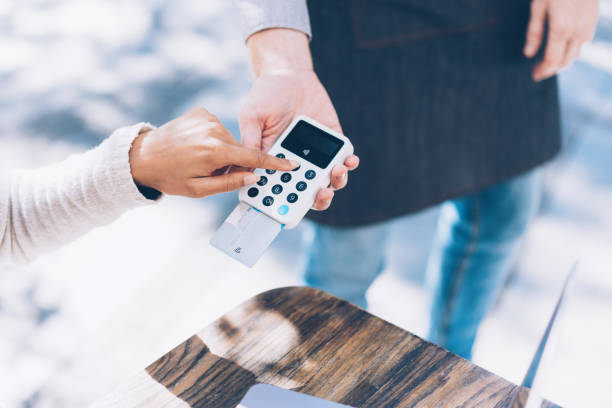

How Can I Protect Sensitive Data on My NFC Business Card?

1. Understanding NFC Technology
What is NFC?
NFC, or Near Field Communication, is a short-range wireless technology that enables data exchange between devices when they are brought close together. It’s commonly used in mobile payments, access control, and digital business cards.

How Do NFC Business Cards Work?
NFC business cards use embedded chips to store data such as:

Contact details
Website links
Social media profiles
Portfolio links
When the card is tapped against an NFC-enabled device, the stored data is transmitted instantly, eliminating the need for manual data entry.

2. Potential Security Risks
While NFC business cards offer convenience, they also introduce certain vulnerabilities:

Data Interception
Malicious individuals with NFC-enabled devices could potentially intercept data transmitted during a tap.

Unauthorized Modifications
If your card lacks proper security measures, an attacker could overwrite the stored data, redirecting recipients to harmful websites or altering contact details.

Physical Theft of the Card
If someone physically steals your NFC business card, they could exploit the data stored on it, leading to privacy breaches.

3. Why Protect Your NFC Business Card?
Protecting your NFC business card is crucial for several reasons:

Preserve Professional Integrity: Unauthorized changes to your card can harm your reputation.
Avoid Privacy Breaches: Sensitive details could be exposed to unauthorized parties.
Prevent Cyberattacks: Malicious modifications could lead to phishing or malware distribution.
4. Basic Security Measures
Setting Up a PIN or Encryption
Many NFC chips allow you to set a PIN or encrypt the stored data. This ensures that only authorized individuals can access the card’s contents.

Limiting Data Stored on the Card
Store only essential information on your NFC business card. Avoid including sensitive personal or financial details.

Regularly Updating Card Content
Periodically review and update the data on your card to ensure it remains accurate and secure.

5. Advanced Security Practices
Using Secure NFC Chips
Opt for NFC chips with built-in security features, such as:

Authentication protocols to verify the cardholder’s identity.
Tamper-proof designs that prevent unauthorized modifications.
Implementing Encryption Protocols
Encrypting your NFC data ensures that even if it’s intercepted, it remains unreadable without the decryption key.

Employing NFC Blockers
NFC blockers, such as RFID-blocking sleeves or wallets, prevent unauthorized devices from scanning your card.

6. Practical Tips for Everyday Use
Monitoring Card Usage
Regularly check the activity of your NFC business card to ensure there are no unauthorized accesses or modifications.

Avoiding Public NFC Readers
Use trusted devices to scan your card. Public or shared NFC readers might pose a security risk.

Educating Recipients About Safe Handling
Inform recipients about the importance of handling NFC cards responsibly to prevent data theft or misuse.

7. What to Do If Your NFC Card is Compromised
Immediate Steps
Deactivate the Card: Use a mobile app or card management tool to disable the compromised card.
Notify Contacts: Inform your contacts about the potential breach and provide updated contact details.
Long-term Preventive Measures
Replace compromised cards with those featuring advanced security.
Regularly audit your NFC card’s usage and settings.
8. Conclusion
NFC business cards are a powerful networking tool, but they require careful handling to ensure data security. By understanding the risks and implementing both basic and advanced security measures, you can confidently use your NFC business card without compromising sensitive information.

Protecting your data not only safeguards your professional reputation but also builds trust with those you connect with. Stay proactive, stay informed, and make the most of your NFC technology while keeping your data safe.

0

Charter Legal

Discover leading legal consultants in Dubai who provide expert advice and solutions for various legal challenges. Our directory features experienced professionals specializing in areas such as business law, contracts, immigration, and dispute resolution. With deep knowledge of the local legal landscape, these consultants offer personalized strategies to navigate complex regulations and ensure your interests are effectively.


Legal Consultants in Dubai


Farid Forklift and Car Repair Melbourne

Whether your car or forklift needs a repair service or a scheduled maintenance service, Farid Forklift and Car Repair is there to help. The company offers car mechanic melbourne and forklift repairs Melbourne services that anyone can trust. Their team of expert technicians can work on forklifts and cars of every model, make, and age to keep them working smoothly. They are well equipped, licensed, and trained to diagnose every kind of electrical and mechanical faults, after which they can replace or repair the needed parts. 

Farid Forklift and Car Repair prides itself on our honest and friendly services, meticulous attention to details, unwavering dedication, and top-class workmanship. Our car and forklift service melbourne mechanics are highly motivated to get the best they can offer and strive to become better always. 

Get in touch with us today for all your car and forklift related needs!

0

0

How Much Money Can You Send on Cash App at One Time?

Cash App is one of the most user-friendly peer-to-peer payment platforms, but it imposes specific limits on transactions to ensure security. For unverified accounts, the sending limit is capped at $250 per week. Verified accounts, however, enjoy significantly higher limits, allowing users to send up to $7,500 per week and receive unlimited funds.

Understanding these limits helps users avoid transaction delays and plan their transfers effectively.

Can You Send $10,000 Through Cash App?
No, you cannot send $10,000 through Cash App in a single transaction. However, verified accounts allow sending up to $7,500 within a seven-day period. To send $10,000, you would need to split the amount across multiple weeks or use another payment method. If you frequently need to transfer larger amounts, it may be worth exploring other financial tools alongside Cash App.

Cash App Withdrawal Limit Per Day
The withdrawal limit for Cash App is tied to its Cash Card feature, which lets users withdraw funds from ATMs. For most users, the daily withdrawal limit is $310. However, Cash App also enforces a weekly withdrawal cap of $1,000 and a monthly limit of $1,250. To ensure seamless cash access, it’s advisable to monitor your usage and plan ahead if you anticipate needing larger withdrawals.

Can You Send $5,000 Through Cash App?
Yes, you can send $5,000 through Cash App if your account is verified. Verified users can transfer up to $7,500 per week, making $5,000 well within the limit. If your account is unverified, the maximum weekly limit is only $250, making it impossible to send $5,000 without verification.

How to Increase Cash App Limit From $2,500 to $7,500?
Increasing your Cash App limit from $2,500 to $7,500 requires verifying your account. This process ensures that your identity is authenticated, providing an added layer of security. Follow these steps to boost your sending limit:

Open Cash App: Log into your account.
Access the Verification Section: Tap your profile icon and navigate to “Personal.”
Provide Identification Details: Enter your full name, date of birth, and the last four digits of your Social Security Number (SSN).
Submit Additional Documentation (if requested): You may need to upload a government-issued ID for further verification.
Once verified, your weekly sending limit increases to $7,500, and there’s no limit on receiving funds.

Cash App Sending Limit After Verification
Verification transforms your Cash App experience by significantly increasing your sending and receiving capabilities. After verifying your identity:

Cash App Sending Limit: Up to $7,500 per week.
Cash App Receiving Limit: Unlimited.
Verification is crucial for those who frequently conduct larger transactions or rely on Cash App for business purposes.

How to Verify Cash App?
Verifying your Cash App account is straightforward and takes just a few minutes. Here’s how:

Open the Cash App and log in.
Tap your profile icon and select “Personal.”
Enter your full name, date of birth, and SSN’s last four digits.
Follow prompts to submit additional verification if required.
After approval, you’ll enjoy increased limits and a smoother transaction experience.

Cash App Weekly Limit Reset
Cash App’s weekly limits reset on a rolling basis, meaning that the limit is calculated based on the transactions made in the past seven days. To determine when your limit resets, check your transaction history and count seven days from your earliest payment in the current cycle.

FAQs
What happens if I exceed my Cash App sending limit?

Cash App will block the transaction until your weekly limit resets or you verify your account to increase limits.


Can I send more than $7,500 in a week?

No, $7,500 is the maximum weekly limit for verified accounts. You’ll need to wait until the next weekly cycle to send additional funds.


How long does Cash App verification take?

Verification typically takes 24–48 hours. Ensure all submitted documents are clear and accurate to avoid delays.


Are there any fees for increasing Cash App limits?

No, increasing your Cash App limits through verification is free.


Can I use the Cash App for international transactions?

Cash App is currently only available in the United States and the United Kingdom. International transfers outside these regions are not supported.


Does Cash App have limits on business accounts?

Yes, business accounts have similar sending limits but may require additional documentation for verification.

Conclusion
Understanding Cash App’s sending and withdrawal limits is essential for effective money management. By verifying your account, you unlock higher limits, ensuring smooth and secure transactions. Whether you need to send $5,000 or withdraw $310 daily, planning around these limits ensures you maximize the platform’s potential.

0

Cash App Limits: How Much You Can Send, Receive and Withdrawal

Cash App is a payment app available for iOS and Android that is used to send and receive money, as well as make purchases and invest. Cash App, like similar payment apps, has limits for all of its transactions.


Cash App limits vary based on the transaction type and identity verification status. For example, unverified accounts have a $250 weekly sending limit. However, that limit can be increased to $7,500 by meeting Cash App identity verification requirements. Keep reading to learn more about Cash App’s sending and spending limits, and find out how you can increase yours.

What Is Cash App?
Cash App is a platform that allows you to send and receive money, make purchases, invest in stocks, buy and sell bitcoin, and complete other financial transactions. Cash App also partners with other financial institutions and banks to provide debit cards and brokerage services. You can even use Cash App to file your taxes and have your refund sent directly to your Cash App account.

Cash App Limits
Cash App limit applies to all accounts, depending on whether the account is verified.

Cash App Sending Limits
Cash App lets unverified users send up to $250 within seven days. If you complete the identity verification process, you can send up to $7,500 per week. You must verify your full name, date of birth, and the last four digits of your Social Security number to increase your sending limits.

Cash App Receiving Limits
Unverified Cash App accounts can receive up to $1,000 within 30 days. Once you verify your identity using your personal information, you can receive an unlimited amount of money each month.

Cash App Spending and Withdrawal Limits
If you use the Cash App Cash Card a free debit card that is connected to your Cash App balance you may be subject to spending limits, similar to other debit cards. The Cash App limit per day and transaction for Cash Card users is $7,000. Daily limits reset at 6 p.m. CST each day.


The Cash Card also has weekly and monthly limits. You can spend up to $10,000 per week and $15,000 per month. Weekly limits reset at 6 p.m. CST on Saturdays, while monthly limits reset at 6 p.m. CST on the last day of the month.


The Cash Card not only implements an ATM withdrawal limit of $1,000 per day, but it also limits total daily spending on purchases made in-store and online, including declined transactions and cash-back withdrawals.

Cash App Limits for Users Under 18
With a Cash App family account, users under 18 will automatically have access to borrow money, make deposits via check, and contact phone support. With consent from a parent or guardian, these younger users can also send and receive money — up to $1,000 within 30 days — as well as have a personal debit card and transfer funds between Cash App and a linked bank account.


They can also transfer up to $7,500 per 30 days into their Cash App account and move up to $25,000 per seven days out of their Cash App account. In addition, users under 18 can make paper money deposits of up to $250 within seven days and $1,000 within 30 days. Users under 18 who have a Cash Card are subject to the same spending and withdrawal limits as users over 18.

How To Increase Your Cash App Limits?
Increasing your Cash App limits is relatively simple. After setting up your Cash App account, you need to verify the following information to confirm your identity:

Your full name
Your date of birth
The last four digits of your Social Security number
If you’re under 18, a parent or guardian must give consent to access certain features and increase your limits. In some cases, Cash App may need to request additional information if they are unable to verify your identity with just the information listed above.

How To Send Cash App Payments?
The Cash App platform is designed with ease in mind, so sending money to another Cash App user just takes a handful of simple steps:

Open the app and enter the amount you want to send.
Tap “Pay.”
Search for the recipient using an email address, phone number, or Cashtag.
Add a note describing the purpose of the payment.
Tap “Pay” again to complete the transaction.
Is Cash App Safe To Send and Receive Money?
Cash App has many security features to keep your money safe. In addition to using top-tier data encryption, Cash App accounts can be locked using a PIN, Touch ID, or Face ID, and users can enable account notifications to monitor activity. Cash Card users can disable their cards at any time, and Cash App also has security features specific to Bitcoin storage and fraud protection.

Final Take
It’s important to note that Cash App sending limits are relatively low, especially compared to traditional bank accounts and some other money apps. If you send or receive money regularly, you should compare your options to make sure your transaction limits are high enough to meet your needs.

FAQ:-
Here are the answers to some of the most frequently asked questions regarding Cash App limits.


How long does it take to send $5,000 on Cash App?

If you are an unverified user, Cash App lets you send a maximum of $250 over 7 days. If you want to send $5,000, this will take you a few weeks. You can increase your limits by verifying your identity. This entails providing some basic information to Cash App.


Can someone send you $6,000 on Cash App?

If you have verified your identity on Cash App, you can receive $6,000 and even more on Cash App. However, you are only limited to $1,000 per 30 days if you haven’t verified your identity.


Can you cash out $5,000 on Cash App?

Cash App doesn’t indicate a limit for withdrawals to your bank account or linked debit card. Therefore, you should be able to cash out $5,000.

0

Cash App Limit Per Day: How to Increase Cash App Limit Per Day

Cash App is a fast, user-friendly tool for sending and receiving money. However, like any financial service, it has daily limits to ensure security and compliance. If you’re wondering about Cash App’s daily limits for sending, receiving, withdrawing, or even BTC transactions, you’re in the right place. In this guide, we’ll explain these limits in detail and provide actionable steps to increase them.

What is Cash App limit Per Day?

Cash App has different limits for unverified and verified accounts. For unverified users, the Cash App sending limit is up to $250 per week and the receiving limit is up to $1,000 per month. Verified users, who have confirmed their identity with Cash App, can send up to $7,500 per week and receive an unlimited amount.

There are also Cash App ATM withdrawal limits, with a maximum of $1,000 per transaction, $1,000 per day, or $1,000 per week. To verify your account and increase your Cash App limits, you’ll need to provide additional information, such as your full name, date of birth, and the last four digits of your Social Security number.

What is the Cash App Sending Limit Per Day?

As a standard user, Cash App limits your daily sending to $250. However, verified users can enjoy sending up to $7,500 daily. Whether you’re splitting a dinner bill or sending money to family, exceeding this limit means you’ll need to wait or verify your account.

What is the Cash App Receiving Limit Per Day?

Receiving money is easy with Cash App. Unverified accounts are limited to $1,000 per 30 days. While there isn’t a strict “daily” receiving limit on Cash App, this monthly cap can quickly be reached if you frequently receive payments. Verifying your account can remove these limits entirely.

What is the Cash App Withdrawal Limit Per Day?

The daily withdrawal limit for Cash App is $1,000 for verified accounts. This includes any transfers to a linked bank account. For unverified accounts, this limit is much lower, often capped at $500 per day.

What is the Cash App ATM Withdrawal Limit Per Day?

Using your Cash App card at an ATM comes with a withdrawal limit. Typically, users can withdraw up to $310 per transaction and $1,000 per day. These limits ensure secure usage while allowing flexibility for cash needs.

What is the Cash App BTC Withdrawal Limit Per Day?

If you’re using Cash App for cryptocurrency transactions, the Cash App BTC withdrawal limit is essential. Verified accounts can withdraw up to $2,000 worth of Bitcoin per day, with a weekly cap of $5,000. This limit helps secure crypto transactions while enabling reasonable flexibility.

What is the Cash App Transfer Limit Per Day?

The daily transfer limit for Cash App includes all forms of sending money, whether to other Cash App users or linked bank accounts. For verified users, this limit can reach $7,500 per day, while unverified accounts remain significantly lower.

Why Does Cash App Have Daily Limits?

Daily limits are implemented to protect users from fraud and unauthorized activity. Additionally, these limits help Cash App comply with financial regulations such as anti-money laundering (AML) laws. Think of these limits as guardrails on a winding road, keeping you safe while allowing smooth financial transactions.

How to Increase Cash App Limit Per Day?

Increasing your Cash App daily limit is straightforward:

1.     Verify Your Account: Enter your full name, date of birth, and the last four digits of your SSN.

2.     Provide Accurate Information: Ensure all details match official records to avoid delays.

3.     Wait for Approval: Once verified, your limits will increase automatically.

Steps to Verify Your Cash App Account

1.     Open Cash App and go to your profile.

2.     Select ‘Personal’ and input your details.

3.     Submit Supporting Documents if required, such as an ID or utility bill.

4.     Wait for Confirmation. This process usually takes 24-48 hours.

Benefits of Increasing Your Cash App Limit

Higher Flexibility: Send, receive, or withdraw larger amounts.
Enhanced Security: Verified accounts are less prone to fraud.
Better User Experience: Enjoy fewer interruptions and delays. 

Tips for Managing Your Cash App Limits

1.     Plan Ahead: Avoid last-minute transactions that may exceed limits.

2.     Verify Early: Get your account verified to access higher limits.

3.     Monitor Activity: Regularly check your transaction history to stay within limits.

Conclusion

Cash App’s daily limits are designed to balance security and convenience. While they may feel restrictive at first, verifying your account unlocks higher limits, allowing you to enjoy the app’s full potential. By following the steps outlined above, you can easily increase your Cash App limits and use the platform without worry.

Agfbio Chauffage

Koop eersteklas houten kisten voor houtbewerking, woningdecoratie, landschapsarchitectuur of op maat gemaakte meubelprojecten. Kies uit verschillende maten en houtsoorten die passen bij uw behoeften. Betaalbare prijzen en betrouwbare bezorgopties beschikbaar. Koop nu kwaliteitshouten kisten!


hout stam kopen