How to Transfer Money on Venmo: A Simple and Complete Walkthrough

Introduction to Venmo and Its Benefits for Sending Money
Venmo has revolutionized the way we handle peer-to-peer transactions. As a digital wallet and mobile payment service owned by PayPal, Venmo makes it effortless to send and receive money quickly. Whether you are splitting a bill at a restaurant, paying rent to a roommate, or reimbursing a friend for a shared expense, Venmo simplifies the process. Its user-friendly interface, social feed, and instant payment options make it a go-to choice for millions of users. In this guide, we will explain how to send money on Venmo, set up an account, and ensure secure transactions.

Setting Up a Venmo Account
Before learning how to send money via Venmo, you must first set up an account. Follow these steps:

1.      Download the Venmo App – Available on iOS and Android, you can download the Venmo app from the App Store or Google Play.

2.      Sign Up – Open the app and sign up using your email address, phone number, or Facebook account.

3.      Verify Your Identity – Venmo may ask for additional verification, including your name, date of birth, and the last four digits of your Social Security number, to comply with federal regulations.

Once you complete these steps, your Venmo account is ready to use.

Linking a Bank Account or Debit Card to Your Venmo
To send and receive money, you need to link a funding source. Here’s how:

1.      Go to “Settings” in the Venmo App – Tap on the menu and select “Payment Methods.”

2.      Choose “Add a Bank or Card” – You will see the option to link either a bank account or debit/credit card.

3.      Enter Your Bank Details – If you choose a bank account, you can manually enter your account and routing number or use instant verification by logging into your bank.

4.      Add a Debit or Credit Card – You can also add a debit or credit card for quick transactions, though credit card payments may incur a fee.

Adding Friends on Venmo
Venmo allows you to send money to people in your network. To add friends:

1.      Use Your Contact List – Venmo can sync with your phone contacts.

2.      Search by Username or Phone Number – Enter the recipient’s Venmo username or phone number.

3.      Scan a QR Code – Venmo provides a QR code feature to instantly add friends.

How to Send Money on Venmo
Now that your account is set up, here’s how to send money through Venmo:

1.      Open the Venmo App – Log in to your account.

2.      Tap “Pay or Request” – This option allows you to send or request money.

3.      Enter the Recipient’s Information – Type in their username, phone number, or email address.

4.      Choose the Payment Amount – Enter the amount you wish to send.

5.      Add a Payment Note – Include a short note explaining the purpose of the payment.

6.      Select a Payment Method – Choose your linked bank account, debit card, or Venmo balance.

7.      Confirm and Send – Review the details and tap “Pay.”

How to Receive Money on Venmo
To receive payments, follow these steps:

1.      Ensure Your Venmo Account is Active – Your account must be set up correctly.

2.      Provide Your Username or QR Code – Share your Venmo details with the sender.

3.      Accept the Payment – Received funds will appear in your Venmo balance.

4.      Transfer Money to Your Bank – If you want to withdraw the money, tap “Transfer to Bank” and select instant or standard transfer.

Understanding Venmo’s Security Features
Venmo employs several security measures to protect users:

·         Encryption & Data Protection – Uses bank-level encryption to safeguard transactions.

·         Two-Factor Authentication – Provides additional login security.

·         PIN & Biometric Authentication – Users can set up a PIN or fingerprint for added protection.

·         Transaction Notifications – Receive alerts for every payment activity.

Troubleshooting Common Venmo Issues
Sometimes, you may encounter issues when sending money via Venmo. Here are common problems and solutions:

1.      Payment Declined – Ensure your funding source has sufficient balance and your Venmo account is verified.

2.      Bank Account Not Linking – Double-check your account details and try re-adding your bank.

3.      Delays in Transactions – Standard bank transfers take 1-3 business days; use an instant transfer if needed.

4.      Security Holds – If Venmo flags a transaction as suspicious, contact Venmo Support.

Final Thoughts
Venmo makes peer-to-peer transactions quick, easy, and secure. Whether you’re splitting a bill, paying rent, or sending money to friends, knowing how to send money on Venmo ensures a smooth experience. With the right security measures and troubleshooting tips, you can confidently use Venmo for everyday transactions.
Venmo Withdrawal Restrictions: What They Are and How to Get Around Them

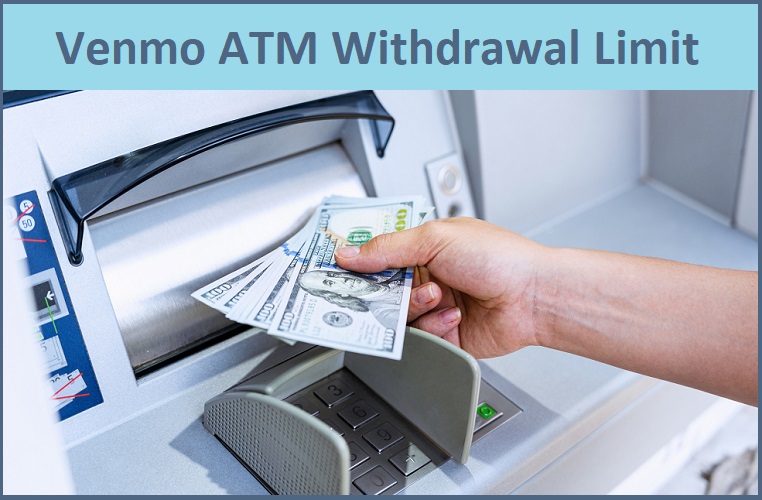
Venmo is one of the most popular peer-to-peer payment platforms, offering users a convenient way to send and receive money. However, when it comes to withdrawing cash from an ATM using a Venmo debit card, there are specific limits that users need to be aware of. In this comprehensive guide, we will break down the Venmo ATM withdrawal limit, how you can increase it, and other important details you need to know.

Understanding the Venmo Withdrawal Limit
The Venmo withdrawal limit refers to the maximum amount of money you can withdraw from an ATM using your Venmo debit card. Venmo imposes these limits to ensure security and manage funds efficiently within the system.

Currently, the Venmo ATM withdrawal limit is $400 per day. This means that you can withdraw up to this amount within a 24-hour period. However, this limit resets every day, allowing users to withdraw again once the time cycle renews.

Venmo ATM Limits and How They Work
When using a Venmo debit card at an ATM, there are several Venmo ATM limits you should be aware of:

1.      Daily Withdrawal Limit: The Venmo daily withdrawal limit is capped at $400 per day.

2.      Transaction Limit: Some ATMs may impose their own transaction limits, meaning you might need to make multiple withdrawals to reach the daily limit.

3.      Bank Policies: Depending on your bank, there may be additional limitations or fees associated with Venmo withdrawals.

4.      Fee Considerations: Venmo charges a $2.50 fee per withdrawal at out-of-network ATMs. Using an in-network ATM helps avoid this fee.

How to Increase Your Venmo ATM Withdrawal Limit
While the Venmo debit card ATM limit is set at $400 per day, some users may need access to larger sums of cash. Here are some ways you can try to increase your withdrawal limit:

1. Upgrade Your Account Verification
Venmo allows users to verify their accounts by providing additional identification documents. A fully verified account may be eligible for higher withdrawal limits.

2. Use Multiple Withdrawals
If your ATM has a lower per-transaction limit, consider making multiple withdrawals up to the daily limit of $400.

3. Request a Limit Increase from Venmo
In some cases, you may be able to contact Venmo support and request a temporary or permanent increase to your withdrawal limits.

4. Withdraw Funds to a Linked Bank Account
Instead of relying solely on ATM withdrawals, consider transferring your Venmo balance to your bank account and withdrawing cash directly from there.

5. Utilize Cashback at Retail Stores
Some retail stores allow cashback transactions when making a purchase with your Venmo debit card. This is a great way to access additional cash without hitting your ATM limit.

Alternatives to ATM Withdrawals with Venmo
If you find the Venmo ATM withdrawal limit restrictive, consider these alternatives:

·         Direct Bank Transfer: Transfer funds from Venmo to your linked bank account and withdraw from a branch or bank ATM.

·         Cashback at Retail Stores: Use your Venmo card at stores that offer cashback on purchases.

·         Venmo to PayPal Transfer: If you have both Venmo and PayPal, you can transfer funds between accounts and withdraw using a PayPal debit card.

Conclusion
Understanding the Venmo withdrawal limit is essential for users who frequently rely on Venmo for cash transactions. While the standard Venmo ATM withdrawal limit is $400 per day, there are several ways to access more cash, including bank transfers and cashback options. If you require a higher limit, consider verifying your account and reaching out to Venmo support for potential increases. Being aware of your withdrawal options ensures a smoother financial experience while using Venmo.

FAQs
1. What is the Venmo ATM withdrawal limit per day?
The Venmo daily withdrawal limit is $400 per day.

2. Can I increase my Venmo ATM limits?
Yes, you may be able to increase your limit by verifying your account or requesting an increase through Venmo support.

3. Does Venmo charge ATM withdrawal fees?
Yes, Venmo charges a $2.50 fee for out-of-network ATM withdrawals. However, in-network withdrawals are free.

4. What happens if I exceed my Venmo debit card ATM limit?
If you try to withdraw more than your Venmo debit card ATM limit, your transaction will be declined until the daily limit resets.

5. Are there other ways to withdraw cash besides an ATM?
Yes, you can use cashback at retail stores, transfer funds to a bank account, or use PayPal transfers as an alternative.

Venmo Limits Demystified: How to Unlock Higher Transaction Amounts

Venmo, a popular digital payment app, allows users to send and receive money with friends, family, businesses and anywhere in the world. Venmo limits are in place to protect account balances as well as meet regulatory requirements; weekly purchases limit also exist. Venmo limit for sending money also depends on how long and active you use the app, but can also be increased through identity verification or approval as a business.

Verifying your Venmo account is easy. Simply visit the Settings menu of your Venmo application and select “Identity Verification.” Fill in your legal name, date of birth and bank account information – including government ID numbers or Social Security numbers as an extra form of ID verification (if necessary.


What Are Venmo Sending Limits?

Venmo provides certain limits on how much can be received, sent, or transferred in any given time. These limits protect both Venmo and its users by minimizing fraud risk or unauthorised transactions on its platform. The Venmo limit for sending money to bank account depend on various factors including your verification status as an account holder as well as method and type of payments made using Venmo.

·         Venmo sending limits: Your Venmo send money limits may initially be lower when first beginning to use it until certain verification steps have been completed. Your account status (verified or unverified) and type of transaction will determine how much money can be sent at once.

·         Venmo provides several standard limits for sending money through their services: * If your account has not yet been verified, sending limits are restricted until verification occurs – although you can still receive money, your sending limit will only allow up to $299.99 weekly.

·         Verified Account: Once verified, you can send up to $4.999.99 weekly in personal payments – such as sending money to family and friends as well as purchasing items online.


What is the Venmo Limit for Sending Money to Debit Card?

Venmo offers instant transfers of up to $5,000 via debit cards, like bank transfers. Each instant transfer may incur an instant transfer fee.


How to Increase Your Venmo Limit?

If your Venmo send limit per day have reached their limit, higher limits can be unlocked through verification processes that increase them and secure your account at the same time. Here is how to increase Venmo limit:

·         Verify your account to get higher limits. For this share details such as your full name, date of birth and last four digits of Social Security number so Venmo can verify this information to confirm your identity.

·         Also link your bank account with Venmo for added security and transaction limits when sending larger transfers amounts.

·         Increase the security of your Venmo Account and raise its limit by activating two-factor authentication, by linking your phone number with your account, then verifying yourself by receiving a code on it.

·         After you complete the verification process, Venmo may review and increase your sending limit. This process typically takes several business days; when your sending limits have been expanded, you will receive an email.


What is the Venmo Limits after Verification?

Once your Venmo account is verified, you are now eligible to send up to $4,999.99 per week compared to an unverified limit of $299.99 a week. In one transaction you may send larger sums – up to $5,000 can be sent in one go.


How Much Does Venmo Charge to Transfer $5000?

If you plan to transfer $5,000 via Venmo, it is crucial that you understand all fees involved.

·         Standard Transfer: When selecting this method (1 to 3 business days), no fees apply and you can transfer up to $5,000 at once into any linked account.

·         Instant Transfer: Venmo charges 1.5% of the transfer amount when using the instant option, up to $5,000 at once in one transaction; in this case, they charge $75.


FAQ

What is the Venmo limit for sending money?

Venmo provides weekly sending limits of $299.99 and $4,999.99 respectively for unverified accounts and verified accounts respectively, to facilitate personal payments such as sending money between family and friends or making purchases.


How can I increase the limit on my Venmo account?

Verifying your identity will allow you to increase your Venmo limit per week. For this, provide personal details (name, birthdate, SSN etc) as well as linking bank accounts. Additionally, two-factor verification can add extra protection.


What is the maximum amount you can send with Venmo?

Venmo allows you to send up to $4.999.99 each week free of charge if your account has been verified, while instant transfer costs (costing 1.5% of each transfer) incur fees of up to 1.5%.


What is the Venmo limit for sending money to a bank account?

Venmo standard transfers have a limit of $19.999.999.99 per transaction while instant transfers have an instantaneous limit of $5,000 with a 1.5% fee.


Does Venmo Charge Tax?

Venmo does not levy taxes on money transfers. However, any transactions of goods and services exceeding $600 to the IRS will be reported via Form 1099K issued to recipients by Venmo.


Does Venmo charge tax on transfers?

Venmo does not charge taxes on transfers; instead, we issue 1099K tax forms when payments for goods or services totalling more than $10,000 are received through Venmo.

Venmo Payment Limits: How Much Can You Receive at Once?

Venmo has simplified peer-to-peer money transfers, making it a go-to app for millions of users. However, understanding how much money you can receive on Venmo and the platform’s overall transaction limits is key to using it effectively. This guide explains Venmo limits per week, daily restrictions, and answers the common question: How much money can I receive on Venmo?

How Much Money Can You Receive on Venmo?

The good news is that Venmo does not set explicit limits on how much money you can receive. Whether your account is verified or unverified, you can accept payments without hitting a cap. However, the limits for sending money and transferring funds from Venmo to your bank are important factors to consider when managing your account.

Venmo Limits per Week

Venmo implements weekly limits to ensure compliance with regulatory standards and maintain account security. These limits affect how much money you can send or transfer.

For Unverified Accounts:

Venmo Sending Limit: $299.99 per week.
Venmo Receiving Limit: Unlimited (but limited by the sender’s account restrictions).
For Verified Accounts:

Venmo Sending Limit: Up to $60,000 per week.
Venmo Bank Transfer Limit: $19,999 per week ($5,000 per individual transfer).
To verify your account, you need to provide your full name, address, date of birth, and Social Security Number (SSN). Completing this process unlocks significantly higher limits.

How Much Money Can I Send Through Venmo?

The amount you can send depends on your verification status. Here’s a detailed breakdown:

Unverified Accounts: $299.99 per week for peer-to-peer payments.
Verified Accounts: Up to $60,000 per week for all transactions combined.
Venmo Max Amount to Send and Transfer

Venmo sets a maximum per transaction amount as well as weekly caps. Here’s how these limits work:

Venmo Max Send: Verified accounts can send up to $60,000 per week.
Venmo Max Per Day: While there’s no strict daily cap, the weekly limit applies, and transfers are calculated on a rolling 7-day basis.
Bank Transfers: Individual bank transfers are limited to $5,000, with a weekly cap of $19,999.
How Much Money Can I Transfer on Venmo?

Transferring money from your Venmo balance to your bank has its own set of limits:

Instant Transfers: Up to $5,000 per transaction or $19,999 weekly.
Standard Transfers: Follows the same limits as instant transfers but may take 1-3 business days to process.
What Affects How Much Money You Can Receive on Venmo?

While Venmo doesn’t limit incoming payments, these factors can indirectly influence how much you can receive on Venmo:

Sender’s Limits: If the sender’s account is unverified, their weekly cap of $299.99 applies.
Account Status: Keeping your account verified ensures you can handle larger transactions without delays.
Fraud Detection: Venmo monitors unusual activity. Excessive payments or large sums may flag your account for review.
Tips to Maximize Venmo Usage

To make the most of Venmo’s features and avoid transaction issues, follow these tips:

Verify Your Account: Unlock higher sending and transfer limits by completing the identity verification process.
Plan Large Transactions: Spread out large payments across multiple days to stay within the weekly cap.
Monitor Weekly Limits: Keep track of your transactions to ensure you don’t exceed your Venmo limits per week.
FAQs about Venmo Limits

1. How much money can I Venmo at once?

Verified accounts can send up to $60,000 weekly, with no explicit daily cap.
2. Are there restrictions on receiving money on Venmo?

No, Venmo does not limit how much money you can receive.
3. How much money can I transfer on Venmo to my bank?

You can transfer up to $5,000 per transaction and $19,999 weekly.
4. What happens if I hit my Venmo max amount?

You’ll need to wait for your rolling weekly limit to reset before making additional transactions.
Conclusion

Venmo offers a flexible platform for receiving money, with no restrictions on the amount you can accept. For sending and transferring funds, verified accounts enjoy significantly higher limits, making Venmo ideal for personal and business use. By staying informed about Venmo limits to send and managing your transactions strategically, you can make the most of this convenient payment app.

Venmo Daily Payment Cap: What’s the Maximum You Can Send?

Venmo has revolutionized how people send and receive money, offering a seamless platform for quick transfers. However, understanding the Venmo transfer limits per day is crucial, especially if you need to make larger transactions. This comprehensive guide explores the maximum amounts you can send, spend, and withdraw on Venmo, along with practical tips to maximize your usage.

Venmo How Much Can You Send?

The amount you can send daily or weekly depends on whether your Venmo account is verified. Verification increases your limits significantly, providing more flexibility for larger transactions.

Unverified Accounts

Venmo Daily Sending Limit: $299.99 (part of a weekly cap).
Venmo Spending Limits: Restricted to smaller transactions until verification is completed.
Verified Accounts

Daily Sending Limit: No explicit daily cap, but subject to a weekly limit of $60,000.
Venmo Maximum Transfer Amount: Individual transfers can go up to $60,000 per transaction within the weekly limit.
Venmo Instant Transfer Limits

For users who need to transfer money quickly to their bank, Venmo offers instant transfers, but specific limits apply:

Per Transaction: $5,000 maximum.
Weekly Instant Transfer Limit: Up to $19,999.
Fee: 1.75% of the transfer amount (minimum $0.25, maximum $25).
How Much Can You Transfer on Venmo?

If your account is verified, the Venmo limits on sending money allow you to transfer:

Up to $60,000 weekly for peer-to-peer payments.
Up to $19,999 weekly for bank transfers (instant or standard).
These limits apply cumulatively, meaning they include all payments and transfers made during a rolling 7-day period.

How Much Money Can You Send Over Venmo for Free?

Sending money is free when you use a linked bank account or debit card. However, credit card payments incur a 3% fee. Here’s how you can maximize free transfers:

Verified Accounts: Utilize the full $60,000 weekly limit.
Smaller Transactions: Stay within the limits for unverified accounts if you don’t require large transfers.
Venmo Withdrawal Limits

For users who utilize the Venmo card, withdrawal limits apply:

ATM and Over-the-Counter Withdrawals: $400 per day.
Daily Spending Limit: Up to $3,000 for card purchases.
These limits are separate from the peer-to-peer transfer limits and refresh every 24 hours.
What Is the Max Amount You Can Venmo?

The maximum you can send through Venmo depends on the type of transaction:

Person-to-Person Payments: $60,000 per week for verified accounts.
Bank Transfers: $5,000 per transaction, up to $19,999 per week.
Venmo Card Transactions: $3,000 daily for purchases and $400 for ATM withdrawals.
Tips to Maximize Venmo Usage

To ensure you can make the most of Venmo’s services, follow these steps:

Verify Your Identity:
Submit your full name, address, date of birth, and Social Security Number (SSN).
Provide supporting documents if required.
Plan Your Transfers:
Be mindful of the rolling weekly limits, as they reset based on the time of your first transaction.
Use instant transfers sparingly to avoid excessive fees.
FAQs about Venmo Transfer Limits

How much can you send via Venmo in one day?
While there’s no explicit daily cap, the weekly limit of $60,000 applies.
Are there separate limits for business accounts?
Yes, business accounts have customized limits depending on usage and account type.
How much can you transfer on Venmo to a bank?
You can transfer up to $5,000 per transaction and $19,999 weekly.
Can you increase your Venmo limits?
Yes, by completing identity verification and maintaining a good transaction history.
Conclusion

Venmo offers generous limits for verified users, allowing up to $60,000 weekly for peer-to-peer transactions and $19,999 for bank transfers. Understanding these limits ensures smooth transactions and helps you avoid delays or issues. Whether you’re sending money to a friend or withdrawing funds, staying informed about Venmo spending limits and Venmo withdrawal limits is essential for hassle-free payments.

What Is Venmo’s Maximum Transfer Limit?

Venmo is a popular mobile payment app that makes sending and receiving money quick and easy. Whether you’re paying for a shared meal or sending funds to family and friends, understanding the limits of how much you can send through Venmo is essential. In this guide, we’ll break down the details, including the Venmo daily transfer limits and the maximum amount you can send under different circumstances.

How Much Can You Venmo?

The amount you can send on Venmo depends on your account verification status. Venmo applies limits to ensure compliance with regulations and maintain security.

Unverified Accounts

If your Venmo account isn’t verified, you’ll face stricter limits:

Venmo Weekly Sending Limit: $299.99.
Venmo Max Transfer per Day: While there isn’t a fixed daily cap, this amount is part of the weekly limit.
Verified Accounts

For users who complete Venmo’s identity verification process, higher limits are available:

Venmo Weekly Sending Limit: Up to $60,000.
Venmo Daily Transfer Limits: No explicit daily cap, but you’re subject to weekly limits.
How Much Can You Send Through Venmo?

With a verified account, you can send up to $60,000 per week for personal transactions. However, individual transaction amounts may vary depending on the type of payment and recipient. Below is a breakdown:

Peer-to-Peer Payments: Verified users can send up to the weekly cap of $60,000.
Business Payments: Limits may vary depending on the nature of the business account.
Venmo Send Limits: A Detailed Look

Understanding Venmo’s send limits helps you plan your transactions effectively:

Venmo Limits Per Day: While Venmo doesn’t impose a strict daily limit, the overall weekly limit of $60,000 applies.
Bank Transfers: Maximum of $5,000 per transfer and $19,999 per week.
How Much Can You Send Someone on Venmo Without Fees?

Sending money through Venmo is free for personal transactions as long as you use a linked bank account or debit card. Here’s how you can maximize your free transfers:

Verified Accounts: Enjoy the full $60,000 weekly limit.
Unverified Accounts: Restricted to $299.99 per week for free transfers.
Venmo Pay Limits for Instant Transfers

If you need to transfer money instantly to your bank, Venmo applies specific limits:

Per Transaction: Up to $5,000.
Weekly Limit: Up to $19,999.
Keep in mind that instant transfers come with a 1.75% fee (minimum $0.25, maximum $25).

How Much Can You Send Thru Venmo for Business Transactions?

For business accounts, Venmo allows customized limits based on account activity and type. Verified business users can send significantly higher amounts, making Venmo an excellent choice for small business owners.

How to Increase Your Venmo Send Limits

To maximize the amount you can send through Venmo, follow these steps:

Complete Identity Verification:
Provide your full name, address, date of birth, and Social Security Number (SSN).
Submit required documentation if prompted.
Link Your Financial Accounts: Connecting your bank account or debit card helps optimize your account functionality.
FAQs about Venmo Send Limits

1. How much can you send over Venmo in one transaction?

The maximum per transaction is $60,000 for verified users, subject to weekly limits.
2. How often are Venmo limits reset?

Venmo limits reset on a rolling weekly basis, starting from the time of your first transaction.
3. Are there separate limits for Venmo cards?

Yes, Venmo cards have daily limits of $400 for ATM withdrawals and up to $3,000 for purchases.
Conclusion

Venmo’s transaction limits ensure security and compliance while providing flexibility for users. For verified accounts, the ability to send up to $60,000 per week makes Venmo an excellent tool for both personal and business use. To fully enjoy the platform’s benefits, we recommend completing identity verification and linking your bank account.

Withdrawing Money from Venmo: Instant vs. Standard Transfer Explained

Venmo allows you to keep an account balance that can be used for payments to people or merchants who accept Venmo, or transferred directly into your bank account. This saves time by not having to calculate how much is owed by friends – the whole process becomes simpler! If you have not done it already, link your bank account with Venmo before starting use – tap on the mini-menu icon for settings and select “Add Card or Bank,” follow on-screen instructions until prompted and tap this option when asked for your debit card or bank account info – the process becomes much smoother.

Once you have all the required details, you have two transfer options to select: instant or standard. Standard transfers could take several days for funds to arrive while instant ones should appear instantly. Venmo also provides multiple ways for accessing funds other than banks or debit cards, including cash deposits, accepting checks directly into your Venmo Account and direct pay check deposit – each method comes with its own fees and processing delays. So, let’s begin and learn more about how to get money out of Venmo.


How to Transfer Money from Venmo to Your Bank Account?

Venmo provides an easy method for withdrawing money: just link a bank account. Here is how to transfer money from Venmo to bank account:

·         Start using Venmo by opening the app on your phone.

·         Please click on the Me icon (Profile icon) in the lower-right corner.

·         Click “Add or Transfer” to add or transfer money from your Venmo balance.

·         Please select Transfer to Bank and enter the amount that you would like to withdraw.

·         Select between Instant Transfer (1.75 percent fee; minimum $0.25 to maximum $25) and Standard Transfer (free; takes 1 to 3 business days).

·         After you confirm the transfer, wait for your money to appear in your account.


How to Withdraw Money Using a Venmo Debit Card?

Venmo debit cards make accessing money easier by providing direct access without needing to go through banks and transfer. Follow these steps to withdraw money using Venmo debit card:

·         At any ATM accepting Mastercard, Visa or PULSE cards (fees may apply), cash can be withdrawn.

·         Shop at retailers who accept debit cards.

·         Cash back offers are available at participating retailers.


How to Send Money from Venmo to PayPal?

Venmo is owned by PayPal, but you cannot transfer funds directly between the two. Instead, there are ways around this by using:

·         Venmo and PayPal allow users to link one bank account.

·         Transfer money from Venmo into your bank account.

·         Once the money has arrived in your account, transfer it over to PayPal immediately.


How to Transfer Money from Venmo to Cash App?

Venmo, Cash App and PayPal do not provide direct payment options directly. But you can still use an alternative workaround method. Here are the steps on how to transfer money Venmo to Cash App:

·         Link your bank account to Venmo Cash App and Venmo at once for maximum convenience.

·         Venmo now allows users to withdraw funds directly into their bank accounts.

·         As soon as it is available, deposit the money into your Cash App Account.


How to Send Money to Friends or Family on Venmo?

Venmo allows you to easily transfer money between friends or family members who will then give it to you directly. You can send money from Venmo by taking the steps mentioned below:

·         Open the Venmo App on your mobile phone.

·         When asked for payment or requests, select Pay or Request and enter their email, phone number or username as recipient details.

·         Enter in the amount that you would like to send.

·         Click “Pay” to complete your transaction.


How to Pay with Venmo Balance?

Venmo allows you to make purchases using your Venmo balance instead of withdrawing it, saving time and effort when shopping.

·         Venmo is accepted by many online retailers.

·         Venmo Debit Cards provide an efficient means of paying for daily transactions.

·         Shared expenses may be distributed among friends and family.


FAQ

How do I transfer money to Venmo?

Add money to your Venmo account:

·         Register and connect your bank account or debit card.

·         Find ways to add cash by tapping on your balance.

·         Enter the amount, and confirm the transfer (which can take up to 3-5 days).


What is the maximum amount that I can send with Venmo?

Venmo currently provides up to $60,000. per week to verified users with each transaction being limited to $4,999.99 or less.


How can I transfer funds from Venmo to Cash App?

Cash App does not support direct money transfer from banks to Cash App.


How can you transfer money from Cash App into Venmo?

Not directly, but you could withdraw funds from Cash App and then transfer them over to Venmo.


How can I deposit funds into Venmo?

Venmo allows customers to accept payments from other Venmo users or add money from a linked bank account.


How to get money off Venmo?

Venmo Debit Cards or transfers funds directly between apps using linked bank accounts can be achieved.

How Long Does Direct Deposit Take on Cash App?

Cash App has revolutionized modern banking with its direct deposit feature, allowing users to receive salaries, government benefits, and other payments directly into their Cash App accounts. However, understanding the timing of these deposits is crucial for effective financial management. This guide explores how long direct deposits on Cash App take, how to set them up, and answers common questions about the process.

How Long Does a Direct Deposit Take on Cash App?

The time it takes for a direct deposit on Cash App to appear depends on several factors, including the payer’s processing schedule and the bank’s systems. In most cases:

Direct deposits are processed within 1–3 business days from when the payer initiates the transfer.
If the payer sends the deposit early, funds can become available up to two days before payday.
Cash App typically processes deposits as soon as they receive them, often faster than traditional banks.

Does Cash App Direct Deposit Early?

Yes, Cash App is known for its early direct deposit feature. In many cases, users can access their funds up to two days earlier than the scheduled payday. This depends on:

When the payer submits the deposit to Cash App.
Cash App’s processing system, which releases funds immediately upon receipt.
For example, if your employer sends payroll details on Wednesday for a Friday payday, you might receive your funds on Wednesday night or early Thursday.

What Time Do Cash App Deposits Hit?

Most deposits on Cash App hit user accounts between 2:00 AM and 4:00 AM Eastern Time (ET) on business days. However, this depends on when the payer’s bank releases the funds.

What Time Cash App Direct Deposit Hit?

Direct deposits typically hit accounts early in the morning, often before 4:00 AM ET on the designated payday.

What Time Do Cash App Direct Deposits Hit?

The timing can vary slightly based on processing schedules, but deposits are generally completed during the early morning hours to ensure timely access.

How to Do Direct Deposit on Cash App

Setting up direct deposit on Cash App is simple and takes only a few minutes:

Step 1: Access Your Account Details

Open the Cash App and log in.
Navigate to the Banking tab (represented by a small building icon).
Locate your account and routing numbers under “Direct Deposit.”
Step 2: Share Details with Your Employer

Provide these numbers to your employer or the payer managing your funds. They’ll use this information to set up the deposit.

Step 3: Complete Direct Deposit Setup

Fill out any required forms from the payer and verify the setup. Once completed, you’re ready to receive funds directly into your Cash App account.

Why Is My Cash App Direct Deposit Pending?

A pending deposit means that the transaction is in the processing stage. This can happen due to:

Banking Delays: The sender’s bank might take longer to process payments.
Verification Issues: If the sender entered incorrect details, delays may occur.
Technical Problems: Temporary system glitches on Cash App’s end.
Pending deposits are usually resolved within 1–2 business days. If the issue persists, contact Cash App support for assistance.

Frequently Asked Questions about Cash App Direct Deposit

Can You Get Direct Deposit on Cash App?

Yes, Cash App allows users to set up direct deposits for payroll, government benefits, tax refunds, and more.

Can You Do Direct Deposit with Cash App?

Absolutely! By using your Cash App account and routing numbers, you can enable direct deposits for various payment types.

Does Cash App Get Paid 2 Days Early?

Yes, Cash App often releases funds up to two days earlier than traditional banks, depending on when the payer initiates the transaction.

Do Cash App Show Pending Deposits?

Yes, pending deposits are visible in the Activity tab of the app. They are marked as “Pending” and may include additional details about the delay.

Conclusion

Direct deposits on Cash App offer a fast, reliable, and efficient way to receive payments. While most deposits are processed within 1–3 business days, Cash App’s early deposit feature ensures many users get access to their funds ahead of schedule. By setting up direct deposit correctly and staying informed about the process, you can enjoy seamless financial management with Cash App.

How to Set Up Cash App Direct Deposit

Cash App has revolutionized how users manage their finances with features like direct deposit, which allows users to receive paychecks, government benefits, and other funds directly into their accounts. Setting up Cash App direct deposit is simple, and understanding the process ensures faster and more efficient financial transactions. This guide will walk you through the steps and address common questions about Cash App direct deposit.

Benefits of Setting Up Cash App Direct Deposit

Direct deposit on Cash App offers several advantages:

Speed: Funds are deposited faster than traditional banking methods.
Convenience: Automatically receive payments without visiting a bank.
Early Deposits: Cash App often provides access to funds up to two days early.
Reliability: Secure and consistent payments from employers or agencies.
How to Set Up Cash App Direct Deposit

Follow these steps to set up your direct deposit:

Step 1: Access Your Account

Open the Cash App on your smartphone and log in.
Step 2: Navigate to the Banking Tab

Tap the Banking icon on the home screen. This is usually represented by a small building symbol.
Step 3: Find Your Account Information

Select “Direct Deposit” or scroll down to locate your account and routing numbers. These are unique identifiers for your Cash App account.
Step 4: Share Information with Your Employer

Provide your account and routing numbers to your employer or the organization depositing the funds.
You may need to fill out a direct deposit form provided by your employer, including these details.
Step 5: Enable Direct Deposit Notifications

Ensure that notifications are enabled in Cash App to stay updated on deposit statuses.
What Time Does Cash App Direct Deposit Hit?

Cash App processes direct deposits as soon as they are received from the sender. Typically, deposits hit accounts between 2:00 AM and 4:00 AM Eastern Time (ET). The exact timing may vary depending on the payer’s processing schedule.

What Time Do Cash App Direct Deposits Hit?

Deposits on Cash App are processed during early morning hours to ensure funds are available by payday. If your direct deposit does not appear by 5:00 AM ET, it may still be processing, or there could be a delay.

What Time Do Direct Deposits Hit on Cash App?

The arrival time of a direct deposit depends on several factors, including:

Employer Submission: When the payer sends the funds.
Banking System Delays: Occasional delays due to regulatory checks or technical issues.
For most users, deposits are available early in the morning on the scheduled payday.

What Time Does Cash App Deposit?

Cash App deposits are generally available by 2:00 AM to 4:00 AM ET on business days. For funds scheduled for weekends or holidays, deposits may be delayed until the next business day.

Why Is My Cash App Direct Deposit Pending?

A pending direct deposit means that the transaction is still being processed. This can happen for various reasons:

Sender Delays: The payer hasn’t completed their transaction.
Incorrect Account Details: Ensure your account and routing numbers are accurate.
Technical Issues: Temporary server problems on Cash App’s end.
Pending deposits often resolve themselves within 1–2 business days, but you can contact Cash App support for further assistance if needed.

Frequently Asked Questions About Cash App Direct Deposit

What Time Does Cash App Direct Deposit Hit on Friday?

On Fridays, Cash App direct deposits typically hit between 2:00 AM and 4:00 AM ET, provided the payer has sent the funds.

What Time Does Cash App Direct Deposit Hit on Saturday?

Cash App does not process deposits on weekends. Deposits initiated on Saturdays may not appear until the next business day, usually Monday.

How Long Does Cash App Direct Deposit Take?

Direct deposits typically take 1–3 business days to process. However, Cash App often provides early access to funds, delivering deposits up to two days before payday.

Conclusion

Setting up direct deposit on Cash App is an efficient way to receive funds quickly and securely. By following the steps outlined above, you can streamline your financial transactions and benefit from early deposits and timely payments. With Cash App, you can enjoy reliable access to your money without the delays associated with traditional banking.