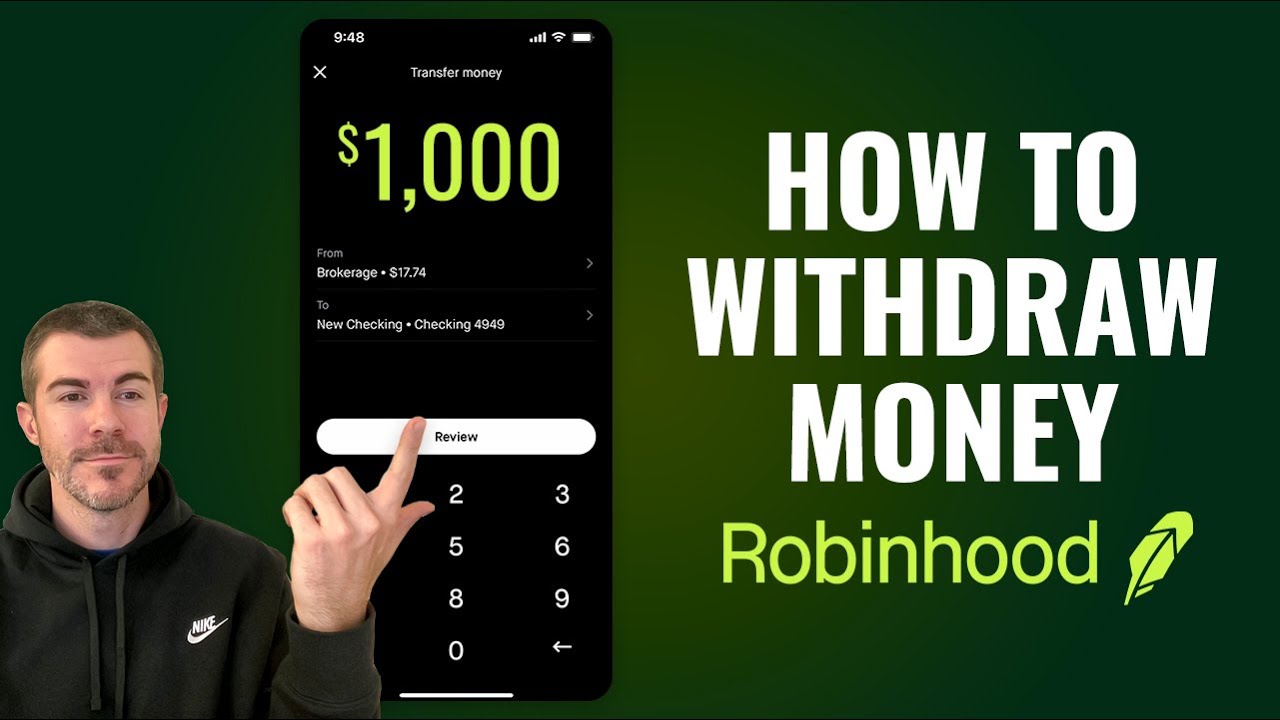
Learn: How to Withdraw Money from Robinhood Immediately?

Robinhood gives its users several options for withdrawing money. You can withdraw all equity or individual balances from a company, depending on your requirements. You can also deposit money via credit card or bank transfer. Logging into your Robinhood account is the first step. Visit the Account section. Select Banking and then Withdrawals.

Here, you can see recent withdrawals or make a fresh withdrawal if necessary. It can take a while for withdrawals to appear in your account, as bank transfers take time to complete. To cancel pending bank transfer, simply log in to Robinhood and select the menu or settings icon. Then find and tap on the pending transfer to cancel before processing begins. So let’s begin and learn how to withdraw money from Robinhood to bank account.


Why Can’t I Withdraw Money from Robinhood After Selling?

The delay between the time it takes to sell stocks or assets, and the time that you can withdraw the proceeds is one of the biggest frustrations for users. The “settlement” process is responsible for this. Here is why can’t I withdraw money from Robinhood after selling:

·         Most likely, your sale is not yet settled and you will need to wait for it to be.

·         Even if you have sold assets, if you recently deposited money into your Robinhood Account, the funds could be held until it clears. Robinhood usually takes five days to clear new funds.

·         You may not be able to withdraw your money if you have any account restrictions (such as margin calls or flagged issues).


How to Withdraw Money from Robinhood to a Bank Account?

You need to follow the steps mentioned below to withdraw money from Robinhood to bank account:

·         First of all, log into your Robinhood account on your Android or iPhone device.

·         Click on the Account icon.

·         Scroll down to “Transfers” and click on it.

·         Click “Transfer to Your Bank” from the list of transfer options.

·         Enter the amount you wish to withdraw. Make sure the money you want to withdraw is already “withdrawable” cash.

·         Select the account to which you would like the money transferred.

·         After you have verified the amount, selected your bank, and clicked “Submit”,


What to Do if Robinhood Shows Withdrawable Cash as $0?

If you see Robinhood withdrawable cash $0, here is what you need to do:


·         You will have to wait until the settlement period is complete if you recently sold an asset.

·         It takes 5 working days for your recent bank deposits to be cleared before you can withdraw them.

·         Robinhood can restrict withdrawals if your account has been flagged (e.g. margin maintenance, pending account verification).


What are Robinhood Withdrawal Limit

Robinhood imposes its own withdrawal limits. For instance, you withdraw up $50,000 per day from your Robinhood account. You will have to wait until the next working day to withdraw any additional funds if you want to withdraw more.


FAQ

Why Can’t I Withdraw Money from Robinhood After Selling?

The settlement period after stock sales is two working days (T+2). Although cryptocurrency sales settle quicker, withdrawals can still be delayed.


Can I Withdraw More Than $50,000 from Robinhood in One Day?

Robinhood does not allow withdrawals above $50,000 per day.


Can I Withdraw Money from Robinhood Immediately After Selling Cryptocurrency?

Cryptocurrency sales are often settled faster than stock purchases. The withdrawal from your bank account may still take up to 1-3 working days.

0

How to Transfer Crypto from Robinhood to Coinbase

Cryptocurrency trading has become increasingly popular, with platforms like Robinhood and Coinbase offering convenient solutions for buying, selling, and storing digital assets. While Robinhood is known for its user-friendly interface and fee-free trading, Coinbase is a robust platform favored for its extensive features and wide range of supported cryptocurrencies. This guide will help you understand how to transfer crypto from Robinhood to Coinbase and navigate related processes like selling crypto and understanding withdrawal limits.

Can You Transfer Crypto from Robinhood to Coinbase?

Robinhood introduced its Crypto Wallet feature, allowing users to transfer cryptocurrencies to external wallets, including Coinbase. While this capability makes the platform more versatile, the process requires some preparation.

Steps to Transfer Crypto from Robinhood to Coinbase

Enable Robinhood Crypto Wallet
Open the Robinhood app and go to the “Settings” section.
Enable the crypto wallet feature by following the verification process, which may require identity verification and two-factor authentication.
Locate Your Coinbase Wallet Address
Open the Coinbase app or website.
Go to the “Receive” section of the cryptocurrency you want to transfer.
Copy the wallet address for that specific cryptocurrency.
Initiate the Transfer in Robinhood
Open the Robinhood app and select the cryptocurrency you want to transfer.
Tap on “Send” and paste the Coinbase wallet address into the recipient field.
Verify the details carefully before confirming the transaction.
Complete the Transfer
Confirm the transaction and wait for the blockchain to process the transfer. This can take a few minutes to several hours, depending on network congestion.
I Sold Crypto on Robinhood, Where Is My Money?

When you sell cryptocurrency on Robinhood, the proceeds are added to your buying power within the app. Here’s what you need to know:

Instant Settlement: Robinhood usually credits your account balance immediately after the sale, but some larger transactions may take a few days to settle.
Withdrawing Money: Once the sale is settled, you can transfer the funds to your linked bank account.
How to Sell Crypto on Robinhood

Selling cryptocurrency on Robinhood is straightforward. Follow these steps:

Open the Robinhood app and navigate to the cryptocurrency you wish to sell.
Tap on “Sell” and enter the amount or quantity.
Review the transaction details and confirm the sale.
Important Tip: Be mindful of market conditions and Robinhood’s potential crypto withdrawal limit, which may affect how quickly you can access your funds.

Understanding Robinhood Crypto Withdrawal Limit

Robinhood imposes withdrawal limits to ensure security and compliance with regulations. Here’s what you should know:

Daily Limit: The withdrawal limit may vary but is typically capped at $5,000 worth of cryptocurrency per day.
Account Verification: To increase your withdrawal limit, ensure your account is fully verified.
Delays: Withdrawals may take additional time if your account has pending security checks.
Robinhood Crypto Wallet: A Game-Changer

The Robinhood Crypto Wallet is a relatively new feature that allows users to send and receive cryptocurrencies externally. Key benefits include:

Direct Transfers: Move crypto to platforms like Coinbase seamlessly.
Enhanced Security: Includes features like multi-factor authentication to protect your assets.
Flexibility: Supports most cryptocurrencies available in the Robinhood Crypto list.
Robinhood Crypto Exchange vs. Coinbase

While Robinhood is ideal for beginner investors due to its commission-free trades, Coinbase is better suited for users looking for:

Advanced trading tools.
A wider selection of cryptocurrencies.
Easier integration with decentralized finance (DeFi) apps.
Robinhood Crypto List and Supported Coins

Robinhood supports a growing number of cryptocurrencies, including popular options like Bitcoin (BTC), Ethereum (ETH), and Dogecoin (DOGE). However, the selection is more limited compared to Coinbase, which lists hundreds of coins.

How Much Does Robinhood Charge to Sell Crypto?

Robinhood does not charge direct fees for selling cryptocurrency. However, indirect costs such as:

Spread Fees: The price Robinhood offers may include a slight markup over the market rate.
Withdrawal Fees: Robinhood currently does not charge withdrawal fees for crypto, but network fees apply for transfers.
Tips for a Smooth Transfer from Robinhood to Coinbase

Double-Check Wallet Addresses: Ensure accuracy when copying and pasting wallet addresses to avoid losing funds.
Monitor Transaction Fees: Network fees can vary widely depending on the blockchain’s activity.
Start with a Test Transfer: Before transferring a large amount, send a small test transaction to confirm all details are correct.
Conclusion

Transferr cryptocurrency from Robinhood to Coinbase is now possible thanks to Robinhood’s new wallet feature. By understanding how to sell crypto, manage withdrawal limits, and navigate platform differences, you can make the most of both platforms. Whether you’re a beginner or a seasoned trader, this guide ensures a seamless experience.

0

How to Withdraw Money from Robinhood – A Step-by-Step Guide

Robinhood has become one of the most popular platforms for buying and selling stocks, options, and cryptocurrencies. However, for new investors, understanding how to withdraw funds from Robinhood to a bank account can be a bit confusing. This guide will explain the process of withdrawing funds, the timing involved, and address common issues that users may face.

How to Withdraw Money from Robinhood to Your Bank Account

Withdraw money from Robinhood to a bank account is straightforward once you understand the steps involved. Here’s a step-by-step guide:

Open the Robinhood App: Launch the app on your device and log in to your account.
Access the Account Menu: Tap on the Account icon (usually at the bottom right).
Select “Transfers”: In the menu, select Transfers to view the transfer options.
Choose “Transfer to Your Bank”: Tap on Transfer to Your Bank to initiate the withdrawal process.
Enter the Withdrawal Amount: Specify the amount you wish to transfer to your bank account. Ensure this amount does not exceed your available withdrawable cash.
Confirm the Transfer: Double-check the information and confirm the transfer. Robinhood will show you an estimated processing time.

How to Withdraw Money from Robinhood Immediately

While Robinhood provides free instant deposits, withdrawals can take a bit longer. Here’s how you can expedite the process:

Verify Your Bank Account: Ensure that your bank account is verified and linked to Robinhood. Unverified accounts may delay withdrawal processing.
Check for Withdrawable Cash: Funds become withdrawable cash once they clear any settlement period. Only withdrawable cash can be transferred immediately.
Use Cash Management Feature (If Available): Robinhood’s Cash Management feature offers users a debit card to spend directly from their account, eliminating the need to transfer money.
Wait for Settlement: Stock trades require up to two business days (T+2) to settle. Only after settlement can the proceeds become withdrawable.
Select “Instant Transfers”: Robinhood does not offer instant withdrawals, but choosing a direct deposit bank with quick processing times can speed up access to funds.

Why Can’t I Withdraw Money from Robinhood After Selling?

There are several reasons why you may not be able to withdraw funds immediately after selling assets on Robinhood:

Settlement Period: Following a sale, funds need two business days to settle (T+2) before becoming available for withdrawal.
Withdrawal Hold: New deposits are subject to a five-business-day hold. If you funded your account recently, the hold period must pass before withdrawals.
Account Restrictions: Occasionally, accounts face restrictions if suspicious activity is detected or if the user has triggered risk management rules.
Insufficient Withdrawable Cash: Only cash from fully settled transactions is withdrawable. Pending trades or unsettled amounts cannot be withdrawn.
If you are unable to withdraw, check if your funds have settled, and ensure that no withdrawal restrictions apply.

How Long Does It Take to Withdraw Money from Robinhood After Selling?

Withdrawing money from Robinhood after selling investments depends on two main factors: settlement time and bank processing time.

Settlement Time (T+2): After selling stocks, funds take two business days to settle. This standard settlement period applies to stock and ETF sales.
Withdrawal Processing Time: After funds settle, withdrawals can take 1-3 business days to reflect in your bank account. Processing time varies by bank, with some banks processing transactions faster than others.
In total, it can take 3-5 business days from the sale date to have money available in your bank account.

Robinhood Withdrawable Cash: What It Means

In Robinhood, withdrawable cash refers to the amount of money in your account that is eligible for withdrawal. Withdrawable cash includes:

Settled Funds: Funds from completed sales that have undergone the two-day settlement period.
Deposits Beyond Hold Period: Deposited funds become withdrawable after the five-business-day hold.
Funds not marked as withdrawable cash cannot be transferred out of Robinhood until they clear the required periods.

Robinhood Withdrawal Limit

Robinhood limits the amount of money that can be withdrawn based on account status and activity. Here are the key points regarding withdrawal limits:

Daily Withdrawal Limit: Typically, Robinhood enforces a daily withdrawal limit of $50,000 per business day.
New Deposit Hold: Recently deposited funds have a five-business-day hold period before they can be withdrawn.
Cash Management Limit: Users with Cash Management can use the debit card up to their balance limit without facing withdrawal restrictions.
If your withdrawal request exceeds the daily limit, you may need to split the transaction over multiple days.

I Sold Stock on Robinhood – Where Is My Money?

After selling stock on Robinhood, users often wonder where their money is or why it isn’t available for withdrawal. Here’s what to expect after selling assets:

Settlement Period: When you sell a stock, the funds generated take two business days to settle. During this period, the funds are visible in your account balance but are not yet withdrawable.
Withdrawable Cash Notification: Once the funds have settled, they will appear as withdrawable cash. You can then initiate a transfer to your bank.
Notifications for Processing: Robinhood typically sends a notification when your money is available for withdrawal, letting you know that the funds have cleared.
Bank Processing: Once you’ve initiated a withdrawal, the money will be transferred to your bank, taking an additional 1-3 business days to appear.
Frequently Asked Questions

Can I Withdraw Money from Robinhood on Weekends?

Robinhood processes withdrawals only during standard banking hours (Monday to Friday). Requests initiated over the weekend will begin processing on the next business day.

Why Is My Withdrawal Delayed?

Withdrawal delays can occur due to new deposit holds, settlement requirements, or bank processing times. Check if your funds have settled, and make sure no holds or restrictions apply.

Can I Withdraw Less Than $1?

Yes, Robinhood allows users to withdraw amounts as small as $1, provided it is within the withdrawable cash balance.

How Often Can I Withdraw Money from Robinhood?

There is no restriction on the frequency of withdrawals, as long as they do not exceed the daily limit of $50,000 and are within the available withdrawable cash.

How Do I Check Withdrawable Cash on Robinhood?

To check your withdrawable cash balance, open the app, access the account menu, and view the cash balance. Withdrawable funds will be specified separately from the total balance.

By following these steps and understanding the limitations, Robinhood users can manage their funds effectively and avoid unexpected delays when transferring money out of the platform.

How to Withdraw Money from Robinhood and How Long Does It Take?

Robinhood, a popular trading platform for stocks, options, and cryptocurrencies, allows users to easily manage their investments. Withdrawing money from Robinhood is a simple process, but understanding how long it takes and why delays might occur is essential for users who want quick access to their funds. In this article, we’ll explore the steps for withdrawing money, how long it typically takes, and address common questions related to withdrawals.

How to Withdraw Money from Robinhood

Withdraw money from Robinhood is straightforward, and you can do it using the mobile app or the website. Follow these steps:

Open the Robinhood app on your mobile device or visit the Robinhood website.
Tap on the Account icon in the lower-right corner of the app or click on Account in the upper-right corner of the website.
Select Transfers from the list of options.
Choose Transfer to Your Bank.
Enter the amount of money you want to withdraw.
Choose the bank account where you’d like to transfer the funds.
Review the details and confirm the transfer.
Once confirmed, Robinhood will process the withdrawal request, and the funds will be sent to your linked bank account.

Why Does Robinhood Take 2-3 Days to Withdraw Money from My Account?

The reason for the delay when withdrawing money from Robinhood is primarily due to the settlement period required by U.S. stock market regulations. After selling stocks, options, or other securities, the sale must settle before the funds can be withdrawn. This settlement period takes two business days (T+2). After the funds settle, Robinhood processes the withdrawal, which can take another two to three business days for the money to reach your bank account.

In total, the process from selling a stock to having the money in your bank account can take anywhere from four to five business days.

How Long Does It Take to Make Money on Robinhood?

The time it takes to make money on Robinhood depends on several factors, including the type of investments you make, market conditions, and your investment strategy. Some stocks may rise in value quickly, offering short-term gains, while others are long-term investments that may take months or years to generate significant returns. Additionally, cryptocurrencies and options can offer rapid changes in value, but they come with higher risk.

There is no set time frame for making money on Robinhood. The platform provides tools to help you invest wisely, but market conditions and timing play a significant role in your success.

Should I Move My Money Out of Robinhood?

Whether you should move your money out of Robinhood depends on your financial goals and needs. Some reasons to consider moving your money might include:

Concerns about security: Although Robinhood is a regulated platform, some users prefer more traditional brokerage firms for added security features.
Limited investment options: If you’re looking for more diverse investment opportunities like mutual funds or bonds, you may consider switching to another broker.
Customer service: Some users report dissatisfaction with Robinhood’s customer service and may choose to move their funds to a platform with more responsive support.
However, if you’re satisfied with Robinhood’s features, low fees, and investment options, there may be no need to move your money.

Why Does Robinhood Hold My Money?

Robinhood may hold your money for several reasons:

Settlement Period: After selling a stock, options, or other securities, the funds must go through the T+2 settlement period before they are available for withdrawal.
Bank Transfer Delays: If you initiate a withdrawal or deposit, it can take a few business days for the transfer to complete due to ACH processing times.
Account Verification: If there are issues with your identity verification or if there’s suspicious activity on your account, Robinhood may place a temporary hold on your funds for security reasons.
What Is the Average Time It Takes to Withdraw Money from Robinhood?

On average, it takes two to three business days for money to be withdrawn from Robinhood once the withdrawal is initiated. However, this timeline does not account for the two-day settlement period required after selling securities. In total, from the time you sell an asset to the time the money reaches your bank account, it can take four to five business days.

Why Does Robinhood Take So Long to Deposit Money?

When you transfer money from your bank account to Robinhood, the transfer typically takes three to five business days due to ACH (Automated Clearing House) processing. ACH transfers are slower than wire transfers because they go through a clearinghouse before reaching your bank. The delay is also a security measure to ensure that funds are not transferred fraudulently.

Does Robinhood Charge Money?

Robinhood is known for being a commission-free platform, meaning you won’t pay fees to trade stocks, options, or cryptocurrencies. However, there are fees for specific services, such as:

Wire Transfers: A domestic wire transfer costs $25, and an international wire transfer costs $50.
Robinhood Gold: A premium service that costs $5 per month and offers benefits like margin trading and access to professional research.
For most users, standard ACH withdrawals are free, and there are no monthly account maintenance fees.

How Fast Can You Withdraw Cash from Robinhood?

Once your funds are available for withdrawal (after the settlement period), it takes two to three business days for the money to reach your linked bank account. The speed of the transfer depends on your bank’s processing time, but typically, it does not take more than three business days for the cash to be available.

Conclusion

Withdraw money from Robinhood is a simple process, but understanding the timeline for transfers and settlement is crucial. The platform requires a two-day settlement period after selling securities, followed by two to three business days for the funds to reach your bank account. While Robinhood doesn’t charge fees for ACH withdrawals, wire transfers incur charges, and premium services come with a monthly fee. Patience is key when managing your withdrawals on Robinhood, but the platform’s simplicity and commission-free trading make it an appealing choice for many investors.

FAQs

How Can I Add Money to My Robinhood Account if My Bank Isn’t Listed?

If your bank isn’t listed when trying to add funds, you can manually link your account by entering your bank’s routing and account numbers. Robinhood will send small test deposits to verify the account, and once verified, you can transfer funds.

Can I Withdraw Just My Profits from Robinhood?

Yes, you can withdraw just your profits by transferring a portion of your available funds. However, keep in mind that all sales of stocks or other securities must go through the two-day settlement period before the money can be withdrawn.

Why Can’t I Withdraw Money from My Robinhood Account to My Wells Fargo?

If you’re having trouble withdrawing money to your Wells Fargo account, it may be due to:

Unsettled funds: Ensure your funds have completed the settlement period.
Verification issues: Ensure your Wells Fargo account is properly linked and verified in Robinhood.
Withdrawal limits: Robinhood has a $50,000 per day withdrawal limit. Check if you’re within the limit before trying again.
If the issue persists, contact Robinhood support for further assistance.
How Long Does It Take to Withdraw Money from Robinhood?

Robinhood, a popular investment platform, offers users the ability to trade stocks, options, and cryptocurrencies without paying commissions. While it’s easy to invest on Robinhood, withdrawing money from the platform requires some understanding of the process and potential fees involved. In this article, we will explore how long it takes to withdraw money from Robinhood, whether Robinhood charges any fees for withdrawals, and answer some frequently asked questions.

How to Withdraw Money from Robinhood?

Withdrawing money from Robinhood is straightforward, and the process can be done entirely through the mobile app or website. Here’s a step-by-step guide:

Open the Robinhood app on your mobile device or access the website.
Tap the Account icon in the bottom right corner (on the app) or click the Account button on the website.
Select Transfers.
Tap or click on Transfer to Your Bank.
Enter the amount you want to withdraw.
Choose the bank account where you want to send the funds.
Review the details and confirm the withdrawal.
Once you’ve completed these steps, Robinhood will initiate the transfer to your linked bank account.

Why Can’t I Withdraw My Money from Robinhood?

If you’re unable to withdraw money from your Robinhood account, there could be several reasons:

Withdrawal Limits: Robinhood imposes certain withdrawal limits, such as a maximum of $50,000 per business day.
Settlement Period: After selling stocks or other assets, the funds must go through a settlement period of up to two business days (T+2) before they are available for withdrawal.
Account Restrictions: If your account is flagged for any suspicious activity or if there’s a compliance issue, Robinhood might place temporary restrictions on your account, limiting your ability to withdraw funds.
Bank Account Issues: If the bank account linked to your Robinhood account is incorrect or unverified, you may encounter difficulties withdrawing your funds.
If you’re facing problems withdrawing money, it’s best to check for these common issues or contact Robinhood customer support for assistance.

How Long Does It Take to Withdraw Money from Robinhood?

Typically, it takes two to three business days for money to be withdrawn from your Robinhood account and deposited into your bank account. Here’s a breakdown of the timeline:

Selling stocks or other assets: After selling an asset, the proceeds need to settle, which takes two business days (T+2).
Initiating a withdrawal: Once your funds are settled, you can initiate the withdrawal. It usually takes an additional two to three business days for the money to appear in your bank account.
In total, it could take between four and five business days from the time you sell an asset until the funds are available in your bank account.

Does Robinhood Charge to Withdraw? How Much Is the Robinhood Monthly Fee?

Robinhood does not charge any fees for standard ACH withdrawals. You can withdraw funds from your account to your linked bank account without any additional charges.

However, Robinhood does have other fees related to certain services:

Robinhood Gold: This is a premium service that offers features like margin trading and access to market data. Robinhood Gold costs $5 per month, with additional interest charges if you use margin.
For standard users not using premium features or margin, there is no monthly fee. Additionally, there are no charges for basic withdrawals, but if you request a domestic wire transfer, Robinhood charges a $25 fee for each transaction.

How Fast Can You Withdraw Cash from Robinhood?

The withdrawal process from Robinhood is not instantaneous. Once you’ve initiated a withdrawal, it typically takes two to three business days for the funds to transfer to your bank account. The speed of this transfer depends on your bank’s processing time, but generally, it does not exceed three business days.

How Long Does It Take to Withdraw Money from Robinhood After Buying a Stock?

If you’ve recently bought or sold stocks on Robinhood, you’ll need to wait for the transaction to settle before you can withdraw the money. According to FINRA regulations, the settlement period for most stock transactions is T+2, meaning it takes two business days after the trade date for the funds to settle. After this settlement period, you can initiate the withdrawal, which will take an additional two to three business days to reach your bank account.

In total, withdrawing money after buying or selling stocks can take four to five business days.

How Much Does Robinhood Charge to Withdraw?

For most users, Robinhood does not charge any fees for withdrawing money via ACH transfer. This is the standard withdrawal method, and it’s free of charge. However, Robinhood does impose fees for other types of withdrawals:

Domestic wire transfer: $25 per transfer.
International wire transfer: $50 per transfer.
These fees apply only to wire transfers, not the standard ACH transfers that most users will use to withdraw their funds.

FAQs

Why Can’t I Withdraw My Money from Robinhood?

You may be unable to withdraw money due to:

Unsettled funds: It takes two business days for the sale of stocks to settle.
Withdrawal limits: You can only withdraw up to $50,000 per day.
Account restrictions: If there’s an issue with your account, you may be temporarily restricted from withdrawing money.
How Long Does It Take to Withdraw Money from Robinhood?

It typically takes two to three business days for a withdrawal to reach your bank account once it’s initiated. However, if you’ve sold stocks, the total time may be four to five business days, including the settlement period.

Does Robinhood Charge to Withdraw? How Much Is the Robinhood Monthly Fee?

Robinhood does not charge for standard ACH withdrawals, but a $25 fee applies for domestic wire transfers. For those who use Robinhood Gold, there is a $5 monthly fee.

How Fast Can You Withdraw Cash from Robinhood?

Once you initiate a withdrawal, it typically takes two to three business days for the funds to reach your bank account.

How Long Does It Take to Withdraw Money from Robinhood After Buying a Stock?

After selling a stock, it takes two business days for the funds to settle. Once settled, it can take an additional two to three business days for the money to be withdrawn to your bank account.

How Much Does Robinhood Charge to Withdraw?

Robinhood does not charge for ACH transfers, but if you request a wire transfer, there is a $25 fee for domestic transfers and a $50 fee for international transfers.